Sub-tasks Manager for Jira Bulk Move, Copy & Delete
Move, copy, and delete subtasks in bulk from a single screen. Stop wasting time on repetitive Jira operations.
How It Works
Manage Subtasks from One Screen
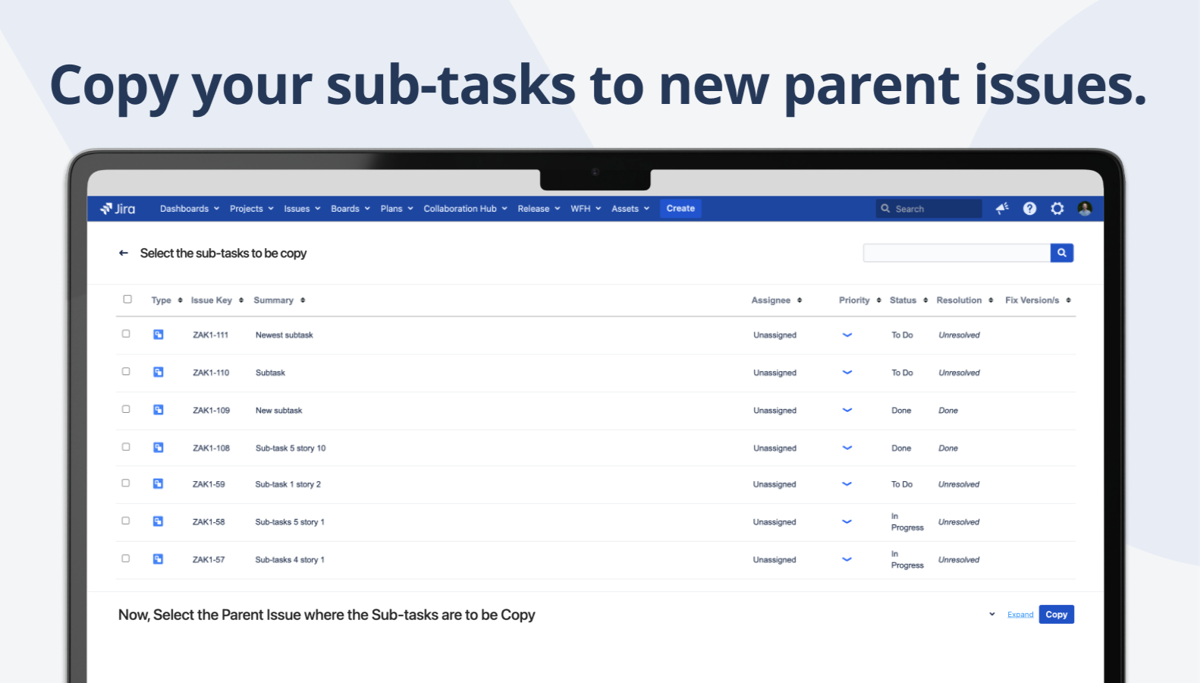
Search for a parent issue, see all its subtasks, select the ones you need, and move, copy, or delete them in bulk. What used to take dozens of clicks now takes seconds.
- Search by parent issue key
- Select subtasks with checkboxes
- Choose operation: move, copy, or delete
- Done in seconds, not minutes
Bulk Operations
Move Subtasks Between Parents
Select multiple subtasks and move them to a different parent issue — even across projects. Perfect for sprint reorganization and backlog grooming.
- Move to any parent issue
- Cross-project moves supported
- Preserves subtask details and history
- Bulk select with checkboxes
Copy & Delete
Clone or Clean Up in Bulk
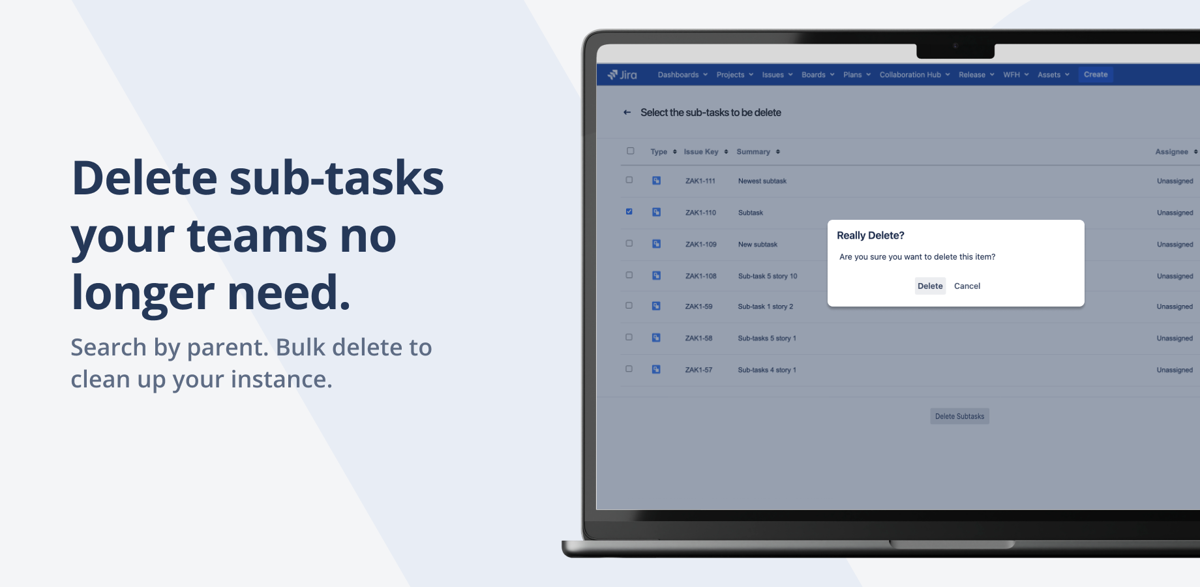
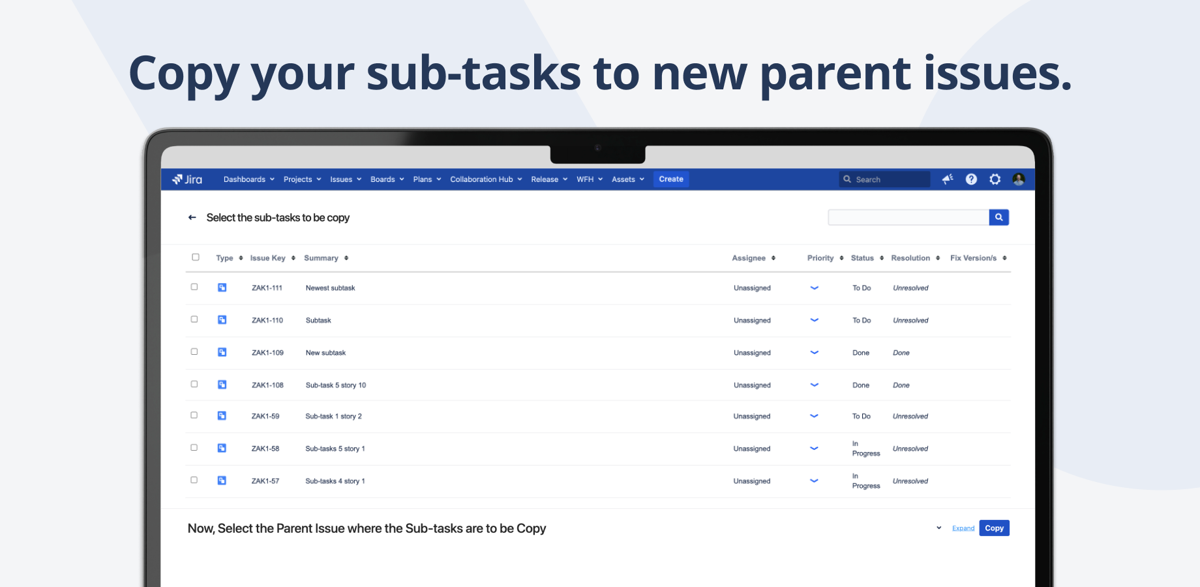
Copy subtasks to create templates for recurring work. Or bulk delete subtasks that are no longer needed. All from the same simple interface.
- Bulk copy subtasks to new parent
- Bulk delete with confirmation
- Single-screen interface for all operations
- Time-saving for large backlogs
Why Teams Switch to Sub-tasks Manager
Without This App
- Moving subtasks one by one — click, edit, save, repeat
- No way to bulk copy subtasks to new parent
- Deleting subtasks requires opening each individually
- Sprint reorganization takes hours of manual work
- Cross-project subtask moves require workarounds
- No single view of all subtasks for a parent
With Sub-tasks Manager
- Select and move multiple subtasks in one click
- Bulk copy to create recurring task templates
- Bulk delete with a single confirmation
- Sprint grooming done in seconds
- Cross-project moves built in
- Single-screen interface for everything
Everything You Need
Bulk Move
Move selected subtasks from one parent to another. Works across projects with full field mapping.
Bulk Copy
Clone subtasks to a new parent issue. Perfect for creating task templates for recurring sprints.
Bulk Delete
Select and delete multiple subtasks at once with a single confirmation. Clean up backlogs fast.
Single-Screen Interface
All operations from one page. Search parent, see subtasks, select, and act — no page navigation.
Parent Search
Search for parent issues by key or summary. Instantly see all child subtasks with status and assignee.
Time-Saving Operations
What takes 30 minutes manually is done in 30 seconds. Built for teams with complex issue hierarchies.
Ready to save hours on subtask management?
Try free for 30 days. No credit card required.
Start Free Trial on MarketplaceSimple, Transparent Pricing
Jira Data Center · Annual subscription · 30-day free trial · No credit card required
| Users | Price/year |
|---|---|
| Up to 50 | $3,000 |
| Up to 100 | $4,000 |
| Up to 250 | $5,500 |
| Up to 500 | $6,500 |
| Up to 750 | $6,500 |
| 750+ | Contact us |
Frequently Asked Questions
Can I move subtasks between projects?
Yes. Sub-tasks Manager supports cross-project moves. Select subtasks from one parent and move them to a parent issue in a different project. Field mappings are handled automatically.
Are there limits on bulk operations?
There are no artificial limits. You can move, copy, or delete as many subtasks as needed in a single operation. Performance scales with your Jira instance capacity.
Can I undo a bulk move?
Moves are permanent Jira operations, but you can always move subtasks back to the original parent using the same interface. We recommend verifying your selection before confirming.
What permissions are needed?
Users need the standard Jira permissions for the operations they perform: Move Issues for moving, Create Issues for copying, and Delete Issues for deleting. No special admin permissions required.
Which Jira versions are supported?
Jira Data Center. We test and release updates within days of new Jira versions to ensure compatibility.
Is there a free trial?
Yes, 30 days on the Atlassian Marketplace. No credit card required. Full access to all features.
Need help getting started?
Complete user guide, installation steps, use cases, FAQ and reference for Sub-tasks Manager for Jira.
Read the Documentation →Stop Managing Subtasks One by One
Join 152+ teams using Sub-tasks Manager for Jira. Start your free 30-day trial.
Start Free Trial on Marketplace