Threaded Comments for Jira
Stop losing track of Jira comments. Organize chaotic discussions into clean, contextual threads — on Cloud and Data Center.
How It Works
Reply Directly to Any Comment
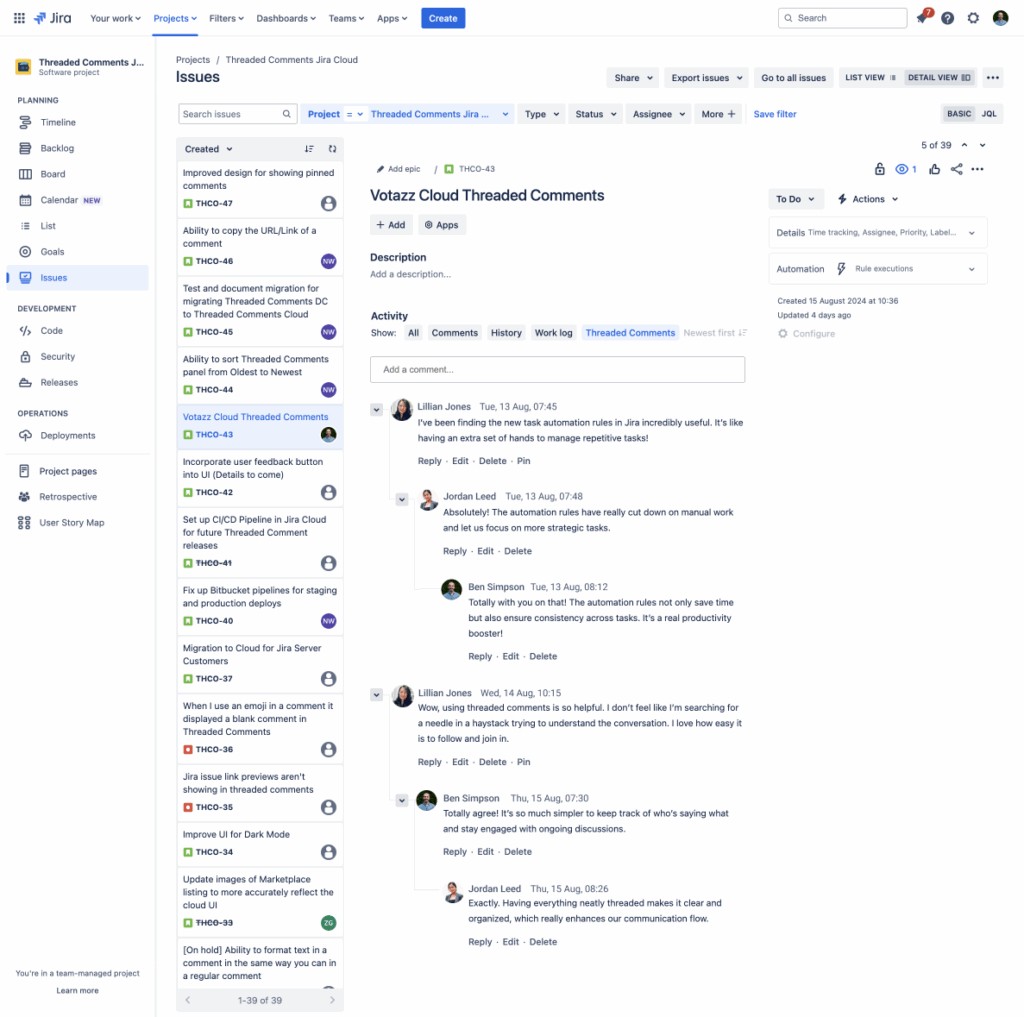
Install the app and a “Reply” button appears on every Jira comment. Existing flat comments stay untouched — new replies organise themselves into clear, indented threads with full context preservation.
- One-click reply to any comment
- Existing comments remain unchanged
- @mentions automatically included in replies
- Works in Jira Software, Service Management & Work Management
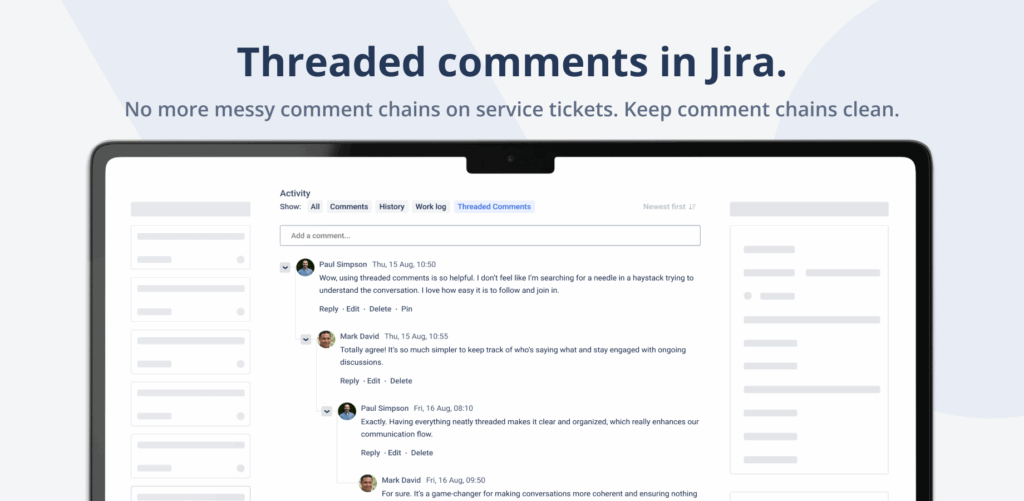
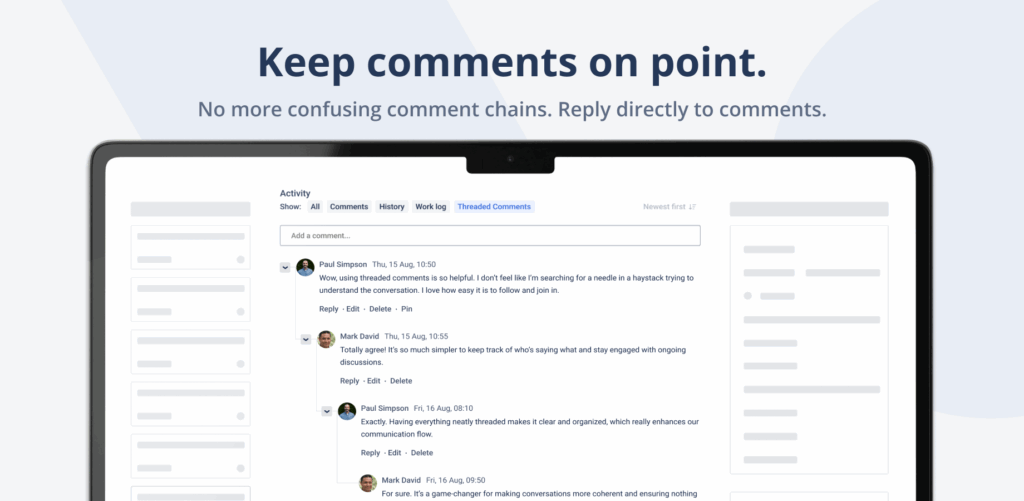
Clear Visual Hierarchy
See the Whole Discussion at a Glance
Indented replies and color-coded thread levels show exactly which response belongs to which question. Collapse threads to focus on what matters — expand them when you need the full context.
- Indented replies show discussion flow
- Color-coded thread levels for easy scanning
- Collapsible threads to focus on what matters
- Multiple nesting levels supported
Smart Notifications
Never Miss a Reply That Matters
Get notified the moment someone replies directly to your comment. Each notification includes a preview of the parent comment so you instantly remember the context — no scrolling, no searching.
- Direct-reply notifications
- Parent comment preview included
- Jump to next unread thread
- Filter by participants or date
Why Teams Switch to Threaded Comments
Native Jira Comments
- Multiple topics mixed in one flat list
- Can’t tell which reply belongs to which question
- Async teams lose track across time zones
- Important decisions buried under 50+ comments
- No way to focus on a single discussion
- Code review feedback gets lost in noise
With Threaded Comments
- Each topic in its own organized thread
- Direct reply context, always preserved
- Async-friendly with collapsible threads
- Decisions stay visible at the top of their thread
- Focus mode — collapse everything else
- Code review feedback grouped by file or function
Ready to organize your Jira discussions?
Free for up to 10 users on Cloud. 30-day trial on Data Center. No credit card required.
Get It on the MarketplacePerfect for These Common Jira Scenarios
Multi-Issue Support Tickets
Customer reports several problems? Keep each issue in its own thread for clear resolution tracking.
Code Review Discussions
Organize feedback by file or function. Developers reply directly to specific review comments.
Architecture Decisions
Keep technical debates organized with pros/cons in separate threads while other work continues.
Sprint Planning
Discuss story points, acceptance criteria, and dependencies in organized threads without confusion.
Bug Investigations
Track different hypotheses in separate threads while keeping the main investigation timeline intact.
Customer Escalations
Separate internal discussions from customer communication while keeping everything in one ticket.
What Our Users Say
“Threading transformed how our support team handles multi-issue tickets. We save 5-10 minutes per complex ticket — that adds up to hours weekly.”
“Our distributed team finally has clear context across time zones. Code reviews and architecture debates stay organized without the comment avalanche.”
“Easy install, no impact on existing comments. The reply notifications include parent context which is exactly what we needed.”
Simple, Transparent Pricing
Free for up to 10 users on Cloud · 30-day free trial · No credit card required
Jira Cloud
Per user / month
| Users | Price |
|---|---|
| Up to 10 | Free |
| 11-100 | $1.50 |
| 101-250 | $1.25 |
| 251-1,000 | $0.65 |
| 1,001-2,500 | $0.34 |
| 2,501-5,000 | $0.23 |
| 5,001+ | View tiers |
Jira Data Center
Annual subscription
| Users | Price/year |
|---|---|
| Up to 50 | $5,000 |
| Up to 100 | $5,500 |
| Up to 250 | $6,000 |
| Up to 500 | $8,000 |
| Up to 750 | $9,500 |
| 750+ | Contact us |
Frequently Asked Questions
How does this work with existing comments?
Existing flat comments remain unchanged and fully visible. You can start using threading for new comments immediately. The app adds a “Reply” button to each comment, allowing you to create threaded discussions going forward.
Can I disable threading for specific projects?
Yes, threading can be enabled or disabled at the project level through project settings, or globally for your entire Jira instance. Administrators have full control over where threading is available.
Does this work with Jira Service Management?
Yes. Threaded Comments works seamlessly with Jira Service Management, Jira Software, and Jira Work Management. It is especially useful for support tickets with multiple issues.
How deep can threads go?
Threads support multiple levels of nesting to maintain clear conversation hierarchy. The visual indentation helps track discussion flow without overwhelming the interface. Default depth is configurable in settings.
Do notifications work with threads?
Yes. You will receive notifications when someone replies directly to your comments. Notifications include a preview of the parent comment for context, and @mentions are automatically included in replies.
Is there a performance impact?
No performance impact. Threaded Comments is optimized to handle large comment volumes efficiently. Collapsed threads can actually make long discussions load faster than flat comment lists.
Is there a free trial?
Yes. Cloud is free forever for up to 10 users. Data Center includes a 30-day free trial on the Atlassian Marketplace. No credit card required.
Need help getting started?
Complete user guide, installation steps, use cases, FAQ and limitations — pick the version that matches your Jira hosting.
Organize Your Jira Discussions Today
Join 780+ teams who have eliminated comment chaos with Threaded Comments.