Microsoft Teams Connector for Bitbucket
Get push, pull request, and pipeline notifications directly in Microsoft Teams. Built for Bitbucket Data Center.
How It Works
Connect Bitbucket to Teams in Minutes
Add the connector to your Teams channel, paste the webhook URL into Bitbucket, and select which events to send. Setup takes under 5 minutes.
- Add incoming webhook to Teams channel
- Paste URL in Bitbucket plugin settings
- Select events to notify
- Notifications flow instantly
Rich Notifications
Beautiful Teams Adaptive Cards
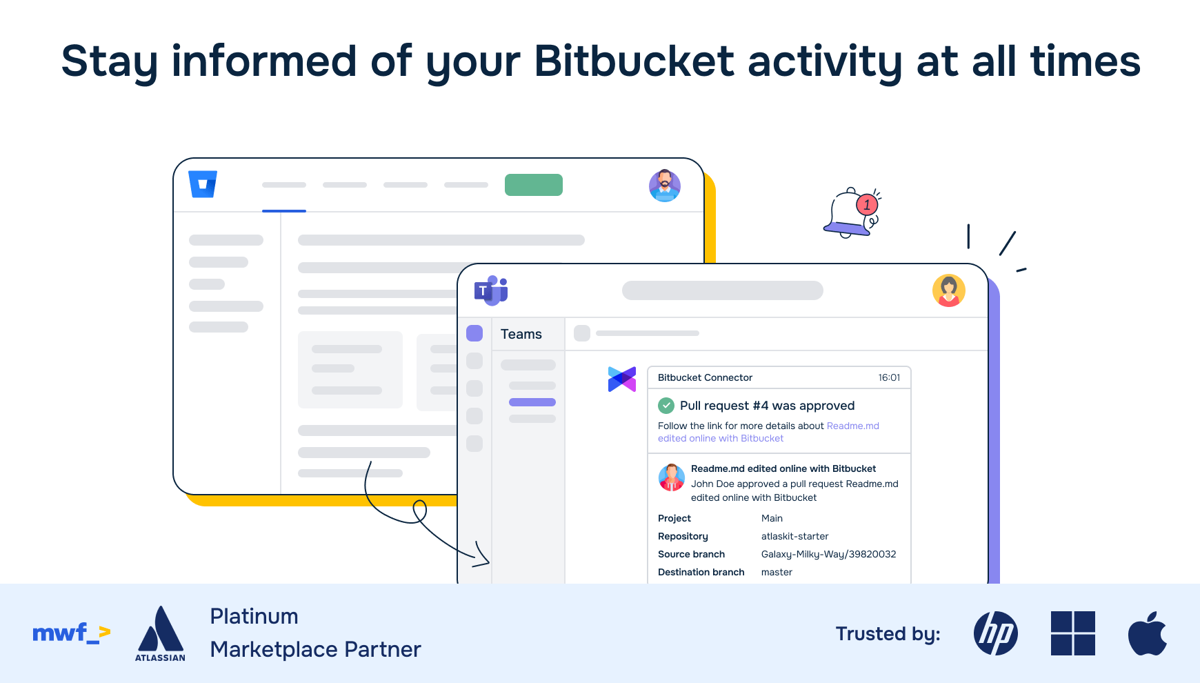
Notifications are sent as rich Adaptive Cards in Microsoft Teams. See author, branch, commit messages, and direct links back to Bitbucket — all in a clean, native-looking card format.
- Push notifications with commit details
- PR open/merge/decline cards
- Build and pipeline status updates
- Direct links to Bitbucket
Advanced Filtering
Only the Notifications You Need
Use advanced filters to control exactly which events generate Teams notifications. Filter by branch, event type, and more to keep your channels focused and noise-free.
- Event type filters
- Branch pattern matching
- Built for Bitbucket Data Center
- Easy channel-per-repo setup
Why Teams Switch to MS Teams Connector
Without This App
- No native Bitbucket-to-Teams integration
- Checking Bitbucket manually for build status
- Missing PR reviews and merge notifications
- Building custom webhooks with Power Automate
- No way to filter which events reach Teams
With MS Teams Connector
- Rich Adaptive Card notifications in Teams
- Push, PR, and pipeline events out of the box
- Advanced filters to reduce noise
- Native Bitbucket Data Center app
Everything You Need
Push Notifications
Get notified when code is pushed. See branch, author, commit messages, and direct links to Bitbucket.
PR Notifications
Track pull request lifecycle — open, review, approve, merge, and decline events in your Teams channel.
Build Status
Pipeline and build results posted to Teams. Know immediately when a build fails or succeeds.
Advanced Filters
Filter by event type and branch pattern. Only get the notifications that matter to your team.
Built for Data Center
Native Bitbucket Data Center app. Installs from the Atlassian Marketplace in minutes.
Ready to connect Bitbucket to Microsoft Teams?
30-day free evaluation via the Atlassian Marketplace.
Install on MarketplacePricing
Licensed via Atlassian Marketplace
Priced by Bitbucket Data Center user tier
30-day free evaluation included
- All notification types included
- Advanced filters
- Email support
Frequently Asked Questions
Which Bitbucket deployments are supported?
Bitbucket Data Center. Install directly from the Atlassian Marketplace — a 30-day free evaluation license is available for every Data Center app.
What events are supported?
Push events (commits), pull request lifecycle (open, merge, decline, comment), and build/pipeline status updates. Each event type can be enabled or disabled individually.
How do I configure the Teams webhook?
In Microsoft Teams, add an Incoming Webhook connector to your desired channel. Copy the webhook URL and paste it into the Bitbucket plugin configuration. Select which events to send, and notifications start flowing immediately.
Can I send to multiple Teams channels?
Yes. Configure different webhook URLs for different repositories or projects. Each can point to a different Teams channel, giving you full control over notification routing.
Need help getting started?
Complete user guide, installation steps, use cases, FAQ and reference for Microsoft Teams Connector for Bitbucket.
Read the Documentation →Get Bitbucket Notifications in Teams
Join 99+ teams. Install in under 5 minutes.
Install on Marketplace