Release Manager for Jira Multi-Project Release Coordination
Link versions across Jira projects, view all release issues in one place, and coordinate complex multi-project releases with ease.
How It Works
Coordinate Releases Across Projects
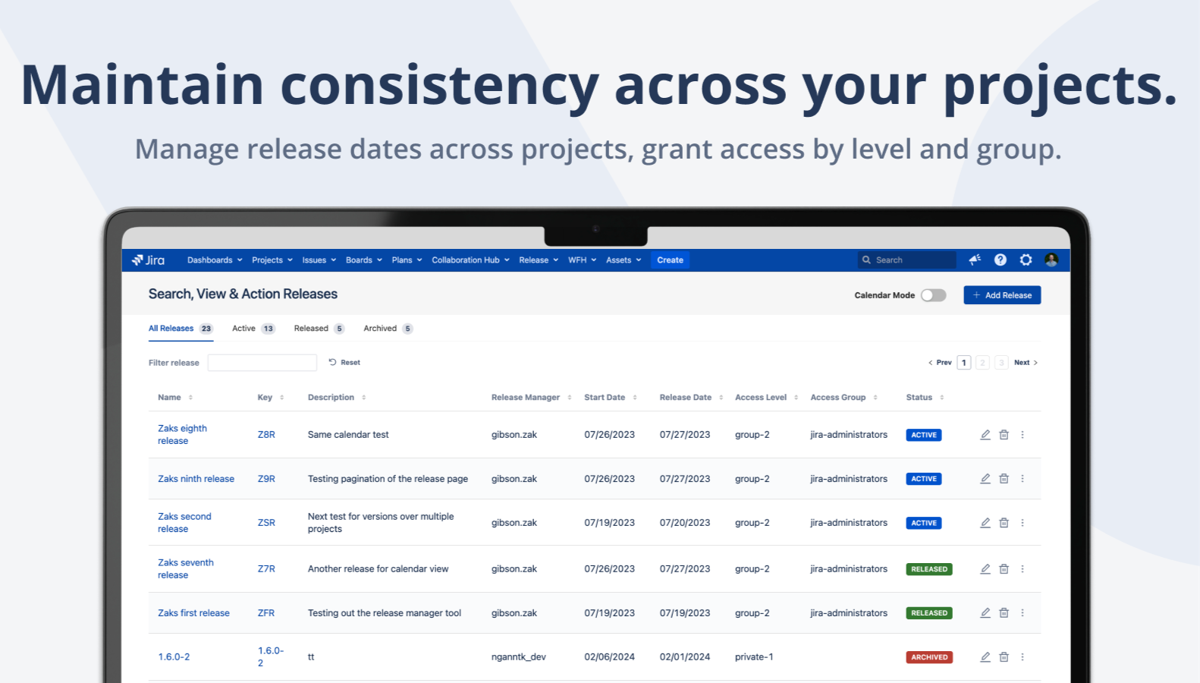
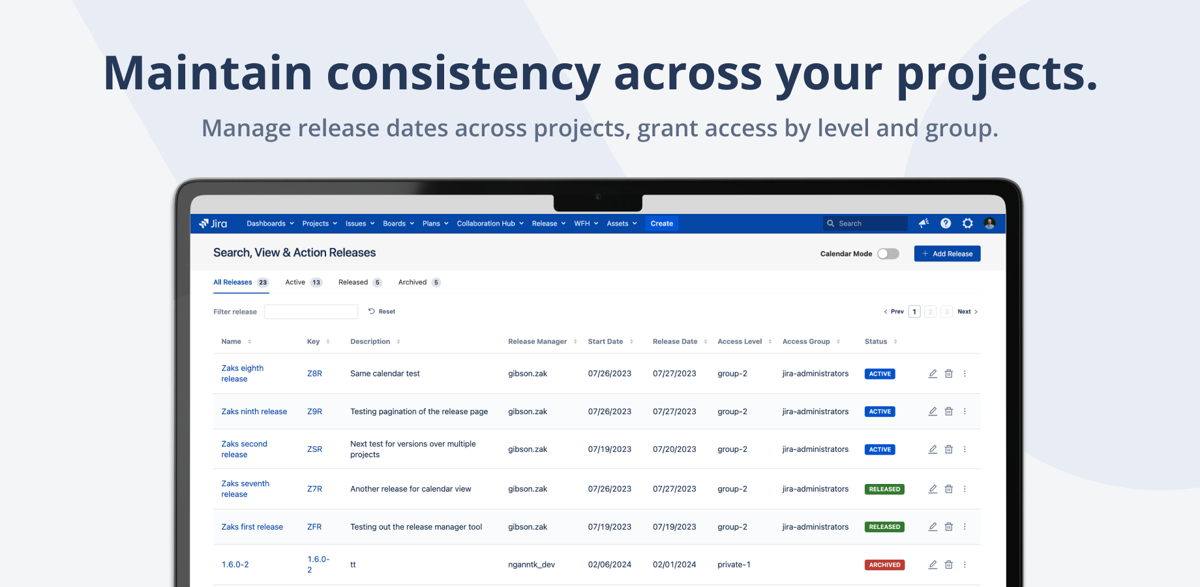
Link versions from different Jira projects into a single release. See all issues, track progress, and release everything together — even when your product spans multiple Jira projects.
- Link versions across multiple projects
- View all release issues in one screen
- Track progress with visual indicators
- Release and archive versions in bulk
Calendar View
Visualize Your Release Schedule
See all upcoming releases on a calendar. Plan release dates, identify conflicts, and communicate timelines to stakeholders — all from a visual timeline view.
- Calendar view of all releases
- Release date planning
- Cross-project timeline visibility
- Stakeholder-friendly view
Bulk Operations
Release and Archive in One Click
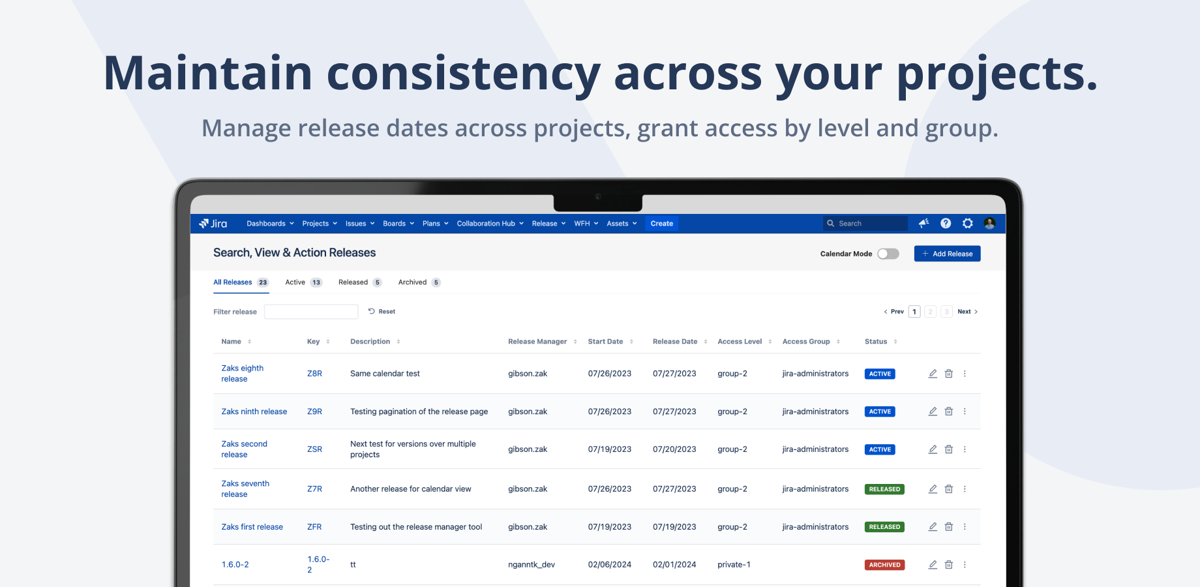
Release linked versions across multiple projects simultaneously. Archive old versions in bulk. No more clicking through each project individually to manage version states.
- Bulk release across projects
- Bulk archive old versions
- Cross-project version coordination
- JSM (Jira Service Management) support
Why Teams Switch to Release Manager
Without This App
- Releases spanning multiple projects are impossible to track
- No cross-project version linking in native Jira
- Releasing versions one project at a time
- No calendar view for upcoming releases
- Manual spreadsheets to coordinate release contents
- Stakeholders have no visibility into release status
With Release Manager
- Link versions across any number of projects
- View all release issues in a single screen
- Bulk release and archive across projects
- Calendar view for release planning
- Real-time progress tracking per release
- Works with JSM for service desk releases
Everything You Need
Cross-Project Linking
Link versions from different Jira projects into a unified release. Track everything from one place.
Release Issue View
See all issues in a release across all linked projects. Filter by status, assignee, and priority.
Bulk Release & Archive
Release or archive linked versions across all projects simultaneously. One click, multiple projects.
Calendar View
Visual timeline of all releases. Plan dates, spot conflicts, and share the schedule with stakeholders.
Cross-Project Coordination
Built for teams whose products span multiple Jira projects. One release, multiple version entries, one view.
JSM Support
Works with Jira Service Management projects. Coordinate service desk releases alongside software releases.
Ready to simplify multi-project releases?
Try free for 30 days. No credit card required.
Start Free Trial on MarketplaceSimple, Transparent Pricing
Jira Server & Data Center · Annual subscription · 30-day free trial · No credit card required
| Users | Price/year |
|---|---|
| Up to 50 | $1,500 |
| Up to 100 | $1,500 |
| Up to 250 | $1,500 |
| Up to 500 | $2,000 |
| Up to 750 | $2,000 |
| 750+ | Contact us |
Frequently Asked Questions
How do I link versions across projects?
Create a release in Release Manager, then add versions from any Jira project. The plugin creates a unified view where you can see all issues from all linked versions together.
How does the calendar view work?
The calendar shows all your releases plotted on a timeline based on their release dates. You can see overlapping releases, plan future dates, and share the view with stakeholders.
Can I bulk release versions?
Yes. When you release a multi-project release, all linked versions across all projects are released simultaneously. Same for archiving — one action updates all linked versions.
Does it work with Jira Service Management (JSM)?
Yes. JSM projects with versions are fully supported. You can include service desk releases alongside software project releases in the same unified release.
Which Jira versions are supported?
Jira Server and Data Center. We test and release updates within days of new Jira versions to ensure compatibility.
Is there a free trial?
Yes, 30 days on the Atlassian Marketplace. No credit card required. Full access to all features.
Why is pricing flat up to 250 users?
We believe release management should be accessible. Whether you have 50 or 250 users, the price is the same $1,500/year. Pricing only increases at 500+ users.
Need help getting started?
Complete user guide, installation steps, use cases, FAQ and reference for Release Manager for Jira.
Read the Documentation →Simplify Multi-Project Releases Today
Join 98+ teams using Release Manager for Jira. Start your free 30-day trial.
Start Free Trial on Marketplace