Your Jira Board Generates Dozens of Updates Every Day. Almost None of Them Need Your Attention.
Why the per-event notification model failed — and what comes next.
For the skim reader
- The problem: Jira sends every notification dressed the same — blockers and closed-ticket comments share one inbox.
- What DaySignal does: one daily digest, triaged into 4 categories (blocking, overdue, at risk, mentions).
- Delivery: Slack, Microsoft Teams, or Email. Personal vs Project digest, configurable per channel.
- Use cases: standup agenda, personal triage, project tracking, stakeholder visibility — same digest, four placements.
- Architecture: built on Atlassian Forge — no external server, data stays in your tenant.
- Price & setup: free for everyone today on Atlassian Marketplace; 2 minutes to set up; first digest arrives tomorrow morning.
Your Jira board generates dozens of updates a day. Almost none of them need your attention — but Jira sends them all to your inbox anyway, hoping you’ll sort the signal from the noise.
At some point, the Jira digest became the email you process, not the one you read. DaySignal — our new Forge app, available today on the Atlassian Marketplace — exists because that’s a different problem than “too many emails,” and the fix is different too.
Volume isn’t the problem. Signal is.
I’ve watched dozens of Jira instances across teams of every size, and the first thing every admin tries is the same: turn off some notification types. It works briefly. Then a sprint goes sideways, someone misses a blocker that was sitting in a status change two days ago, and the admin gets a Slack message: “why didn’t I see this?” The notifications come back on.
That pattern — turn it down, then turn it back up — is what gave us the wrong diagnosis for a decade. The problem wasn’t volume. The problem was that every notification arrives wearing the same uniform. A comment on a closed ticket and a blocker that just landed should not look the same in your inbox. They should not even be in the same email. But Jira’s per-event model treats them as interchangeable, and the reader has to do all the triage.
That’s the work DaySignal does for you before the email lands.
What you actually need to know each morning
If you ask an engineering manager what they need from Jira at 9 a.m., the answer is rarely “all my notifications since Friday.” It’s four categories, each answering a question the team will ask in standup:
| Signal category | The question it answers | Why Jira’s per-event email fails at it |
|---|---|---|
| Blocking | What’s stuck on a dependency, review, or stale ticket? | A status change on a blocker arrives in the same stream as a comment on a closed issue. |
| Overdue | What should have moved by now and hasn’t? | Jira fires on date changes; it doesn’t fire on missing progress. |
| At risk | Where is the sprint drifting? Who is overloaded? | These are patterns across multiple events — invisible in a per-event stream. |
| Mentions | What needs you, personally, today? | A direct @mention sits in the same inbox as 50 “issue updated” events you don’t own. |
DaySignal answers each of these on a single screen. Where it shows up — and who reads it — depends on the team.
Four ways teams use it
The same digest, four different placements. Each one replaces a manual ritual the team was already doing — just less reliably.
1. Standup — ready-made agenda
The Project Digest lands in your #team-standup Slack channel at 8:45 a.m. By the time standup starts, sprint health, blockers, and overdue items are already on screen. No one is scrambling to compile a JQL filter on the call. The standup starts with a shared snapshot, not a question.
2. Personal triage — your day before Jira
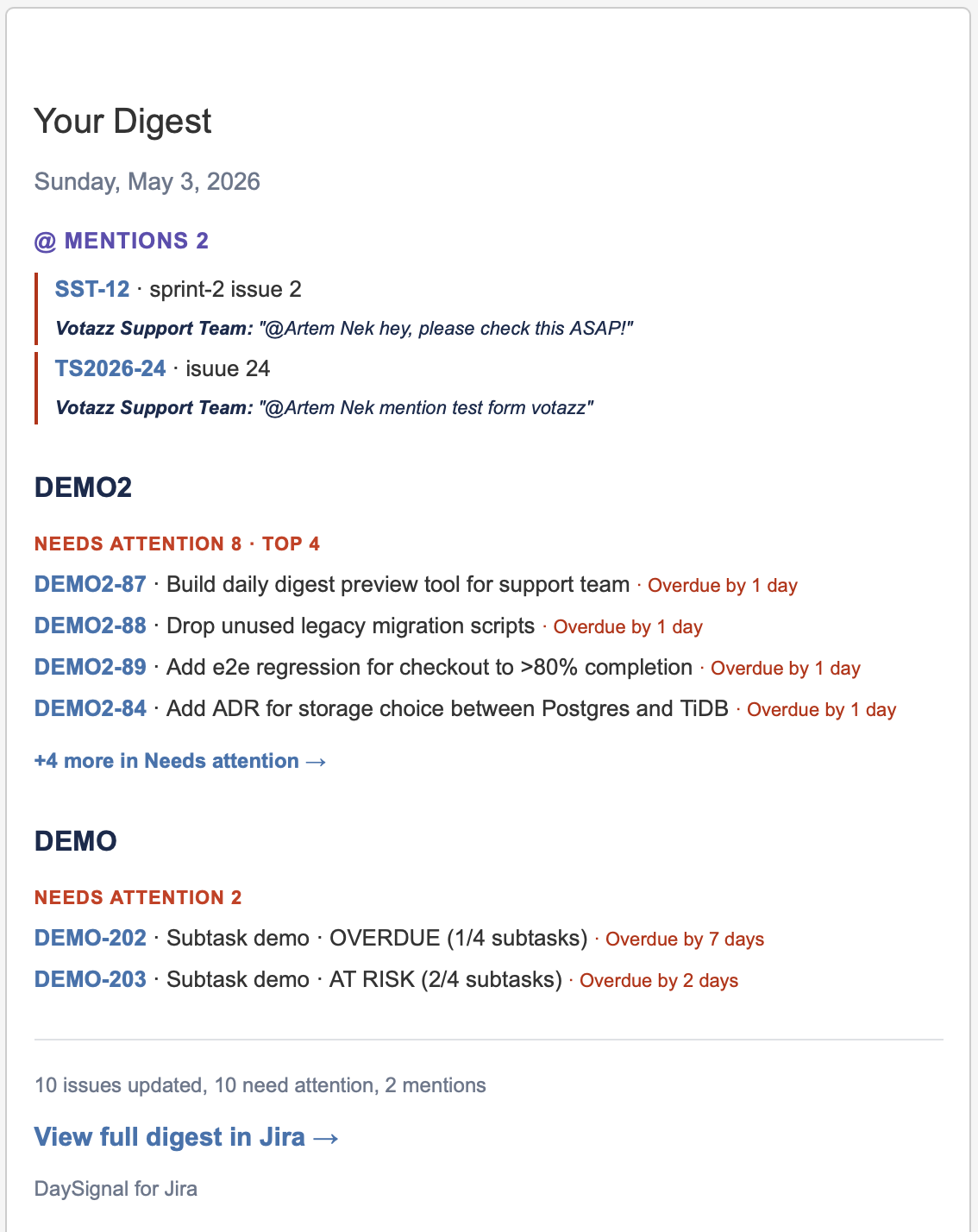
The Personal Digest goes to your DM with yourself in Slack — or your email, if that’s where you start the morning. Assigned issues by urgency, @mentions across every project you can see, watched items that quietly changed status overnight. A 30-second scan, and you know your day before you’ve opened Jira.
3. Project tracking — daily, not weekly
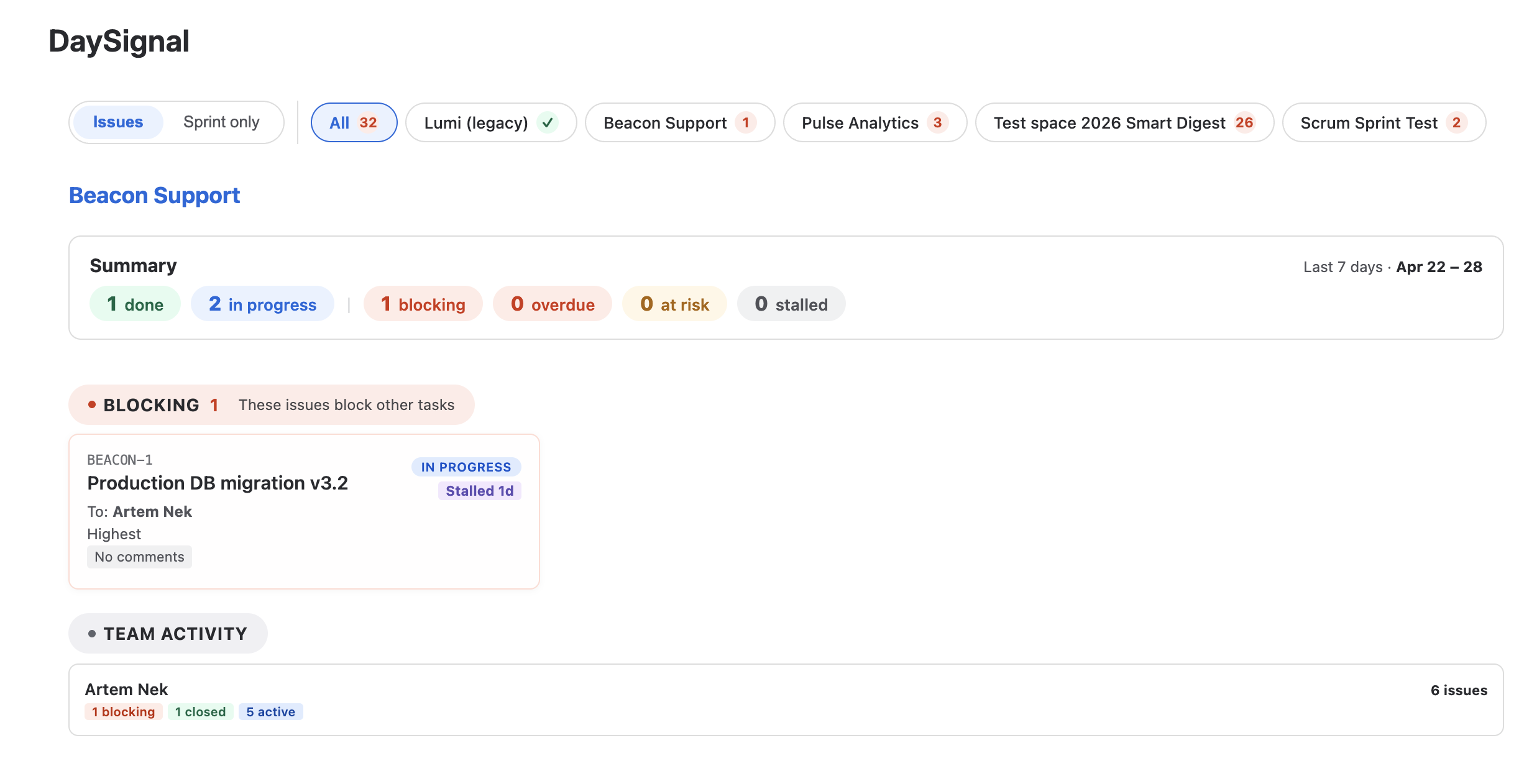
The Project Digest as email or in your #proj-beacon Slack channel. Sprint health, velocity trend, stalled issues, team activity — once a day, in one place. The report you used to assemble by clicking through five JQL filters every Friday afternoon. Patterns surface in days, not at retrospective.
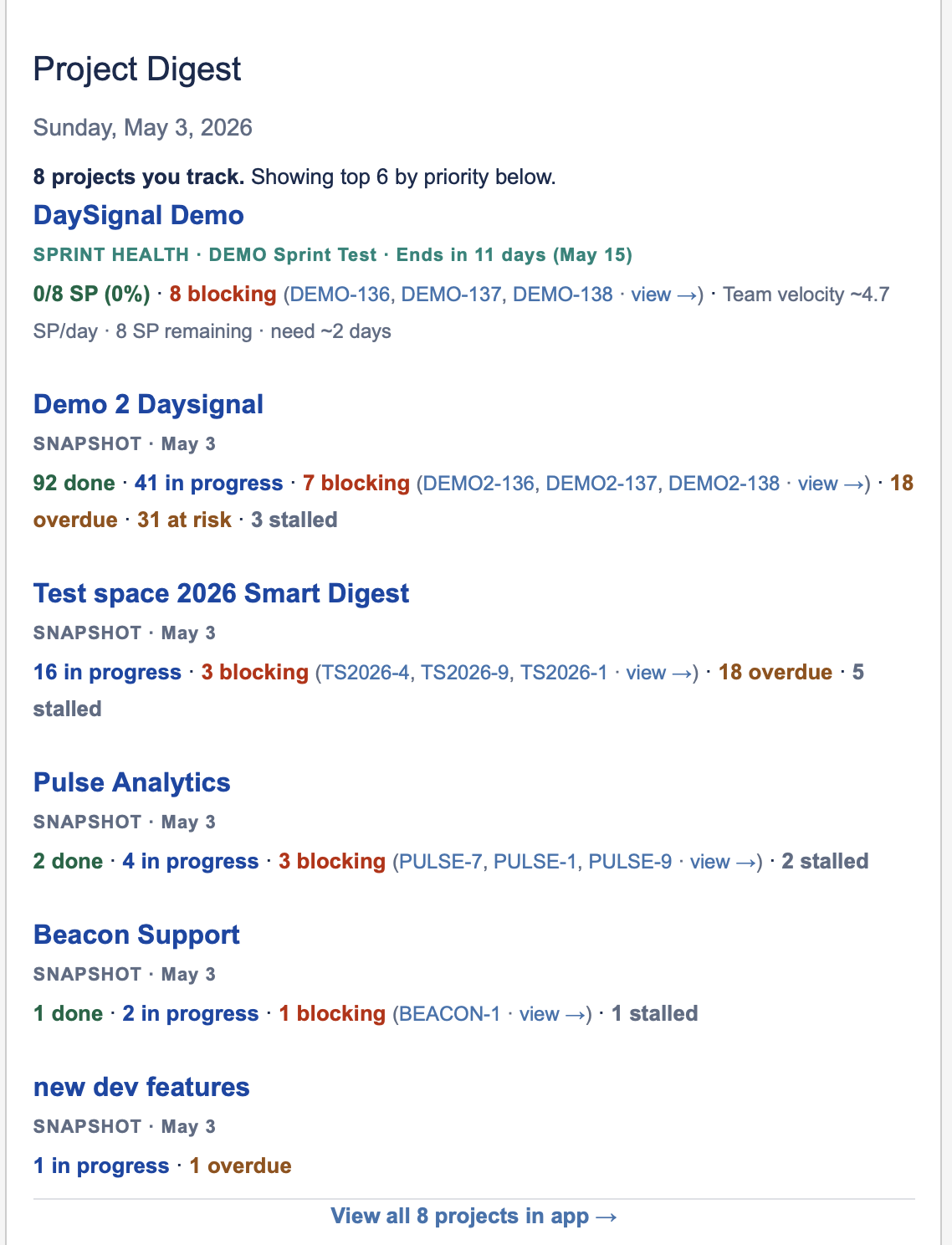
4. Stakeholder visibility — without the Jira tab
Stakeholders who don’t live in Jira still need to know how the project is doing. The Project Digest lands in their email each morning — sprint health, blockers, team activity — without them ever opening Jira. Instead of “can someone tell me where we are?” the answer is in their inbox by 8:45 a.m.
Delivered where you already work
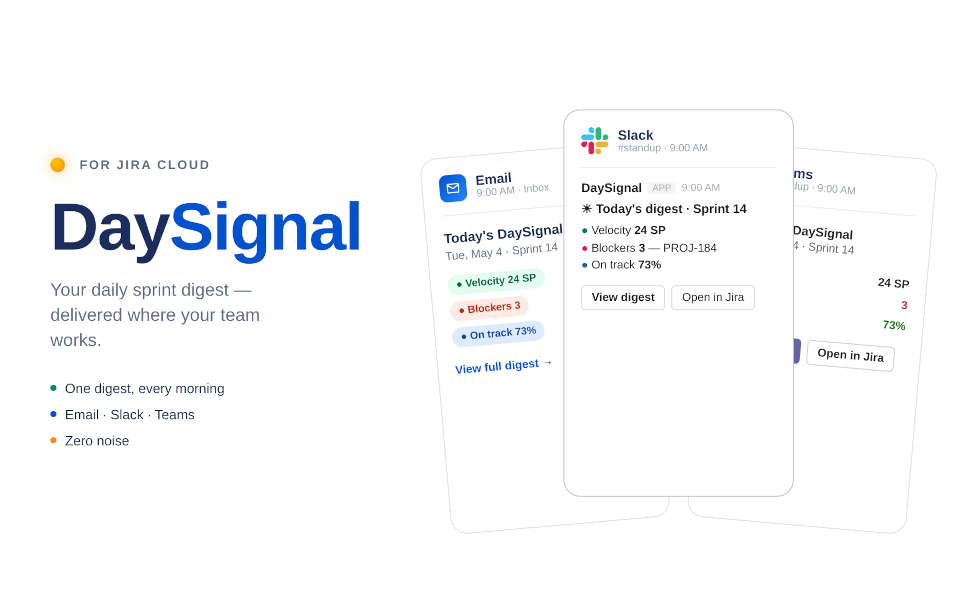
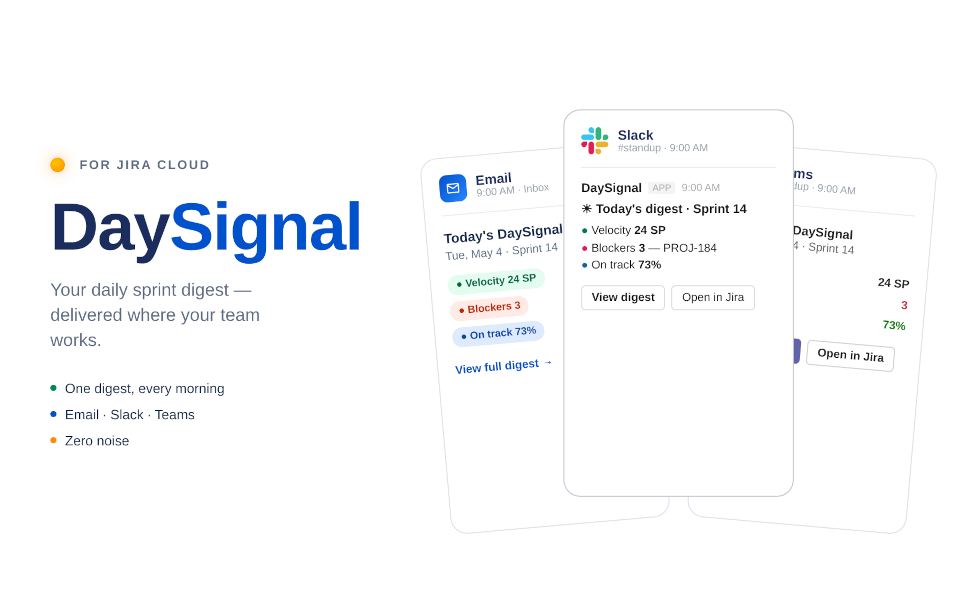
Email is the default — one morning briefing, scannable in under a minute, with deep-link buttons that drop you straight into the relevant Jira issue. Slack uses Block Kit; severity is colored emoji circles (🔴 blocking, 🟡 overdue, 🟠 at risk, ⚪ stalled), numbers are bold, with a single “View full digest” button. Microsoft Teams renders the same digest as Adaptive Cards via Power Automate Workflows — the path Microsoft kept after the legacy O365 Connectors retired in May 2026.
For each surface, you can split which digest goes where. Personal digest in your DM; Project digest in #team-standup. That separation is the difference between a digest you read and one your whole team can act on.
Sprint health that survives standup
There’s a particular failure mode I’ve seen across instances: the dashboard says “everything is fine” because no one updated the burndown, but the team knows three tickets are blocked and one contributor is on vacation. The dashboard is reading status; the team is reading reality.
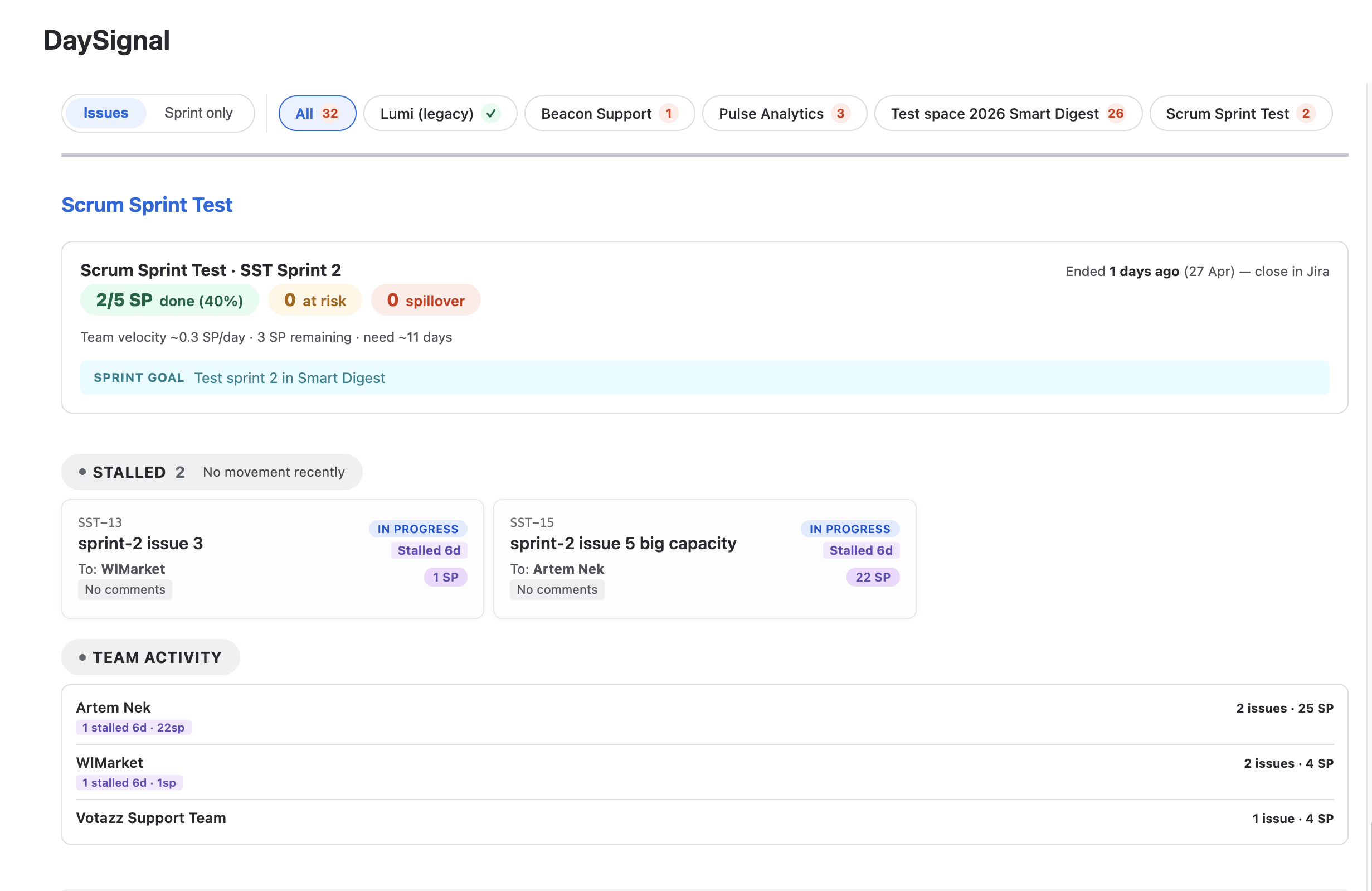
DaySignal’s sprint view tries to read reality. Completion rate (SP done over SP committed). Velocity direction, like “−0.3 SP/day,” which tells you whether to scope down or power through. Stalled issues sorted by stall duration with SP weight visible — because a 1-point ticket sitting for 4 days is a different problem than an 8-point ticket sitting for 4 days. And team activity broken down by contributor — not to track individuals, but to surface the “is everything okay?” case before it shows up in a retrospective.
Built on Forge — your data stays in your tenant
DaySignal is built on Atlassian Forge. No external server, no database in our office. The app’s storage uses Atlassian’s KVS and Forge SQL, both pinned to your tenant region — EU stays in EU; US stays in US. The only outbound network call is the webhook POST to the Slack or Teams channel you configured — an egress your security team can audit and allow-list. One fewer vendor on your security review.
Availability and pricing
DaySignal v4.0.0 is available today on the Atlassian Marketplace. The first version is free for everyone — paid tiers later. The product is positioned for teams already paying Atlassian for Jira; the value should be obvious within a week of running it, or there’s nothing to charge for.
Setup takes two minutes. Pick a digest schedule, optionally connect a Slack or Teams webhook, and the first digest arrives the following morning. Full setup guide and channel configuration walkthrough is in the DaySignal documentation.
Tune it your way
Pick the days. Pick the hour. Pick where it lands. DaySignal shows up exactly when and where it fits your routine.
Like the way that looks? Make it yours.
Add DaySignal to your Jira →The Bottom Line
The reason Jira’s notification system feels broken isn’t volume. It’s that every event is treated equally — a comment on a closed ticket, a blocker that just landed, a watcher’s status change. They all arrive in the same inbox, with the same weight, and the reader does the triage.
DaySignal does the triage first. One digest. Categorized by what actually matters — blocking, overdue, sprint health, mentions. Delivered where you already work. Built on Forge, so your data stays in your tenant.
It’s the morning briefing your team has been writing manually for years.
Add DaySignal to your Jira
Free for everyone. Setup takes two minutes. First digest arrives tomorrow morning.
Get DaySignal on the Atlassian Marketplace