
Diagram.now for Confluence
Stop pasting stale diagram screenshots into Confluence. Diagram.now is a full diagram editor that lives inside your pages — flowcharts, UML, BPMN, ERD, cloud architecture, wireframes — always editable, always current, never exported.
Built on Atlassian Forge · Free for up to 10 users · Your data stays in Confluence
Visual documentation rots the moment you export it
Teams draw in external tools, export a PNG, and paste it into Confluence. Six weeks later the system has changed — the picture hasn’t. Readers trust documentation that is quietly wrong.
Screenshots go stale
The architecture evolves, the exported PNG doesn’t. Nobody knows which diagram on which page still reflects reality.
Every edit is a round trip
Open the external tool, find the source file, fix, re-export, re-upload, replace. A one-box change costs ten minutes of ceremony.
Viewers need apps too
Classic diagram apps split editor and viewer into separate installs. With Diagram.now, whoever can read the page sees the diagram — nothing extra.
Inline editing
Draw where you document
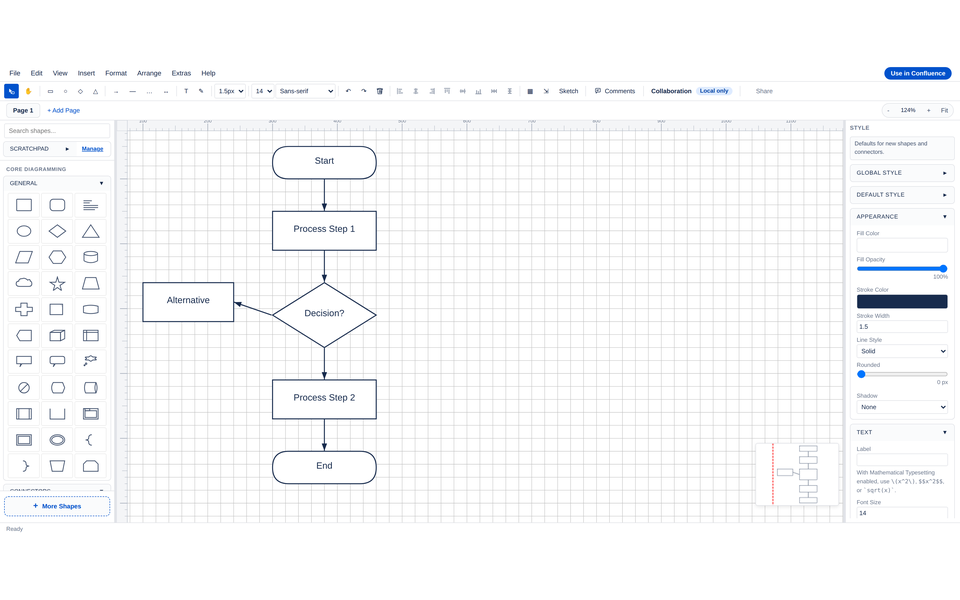
Type /diagramsnow on any page, click the pencil, and a full editor opens in a modal — shape libraries on the left, canvas in the center, style inspector on the right. Save & Close renders the diagram inline as crisp SVG.
- Insert via slash command or macro browser
- Click the pencil any time — diagrams stay editable forever
- Multi-tab live refresh: a coworker’s save appears without a reload
- PDF & Word export keeps diagrams as sharp SVG at any zoom
Every diagram type
One editor for every diagram your team draws
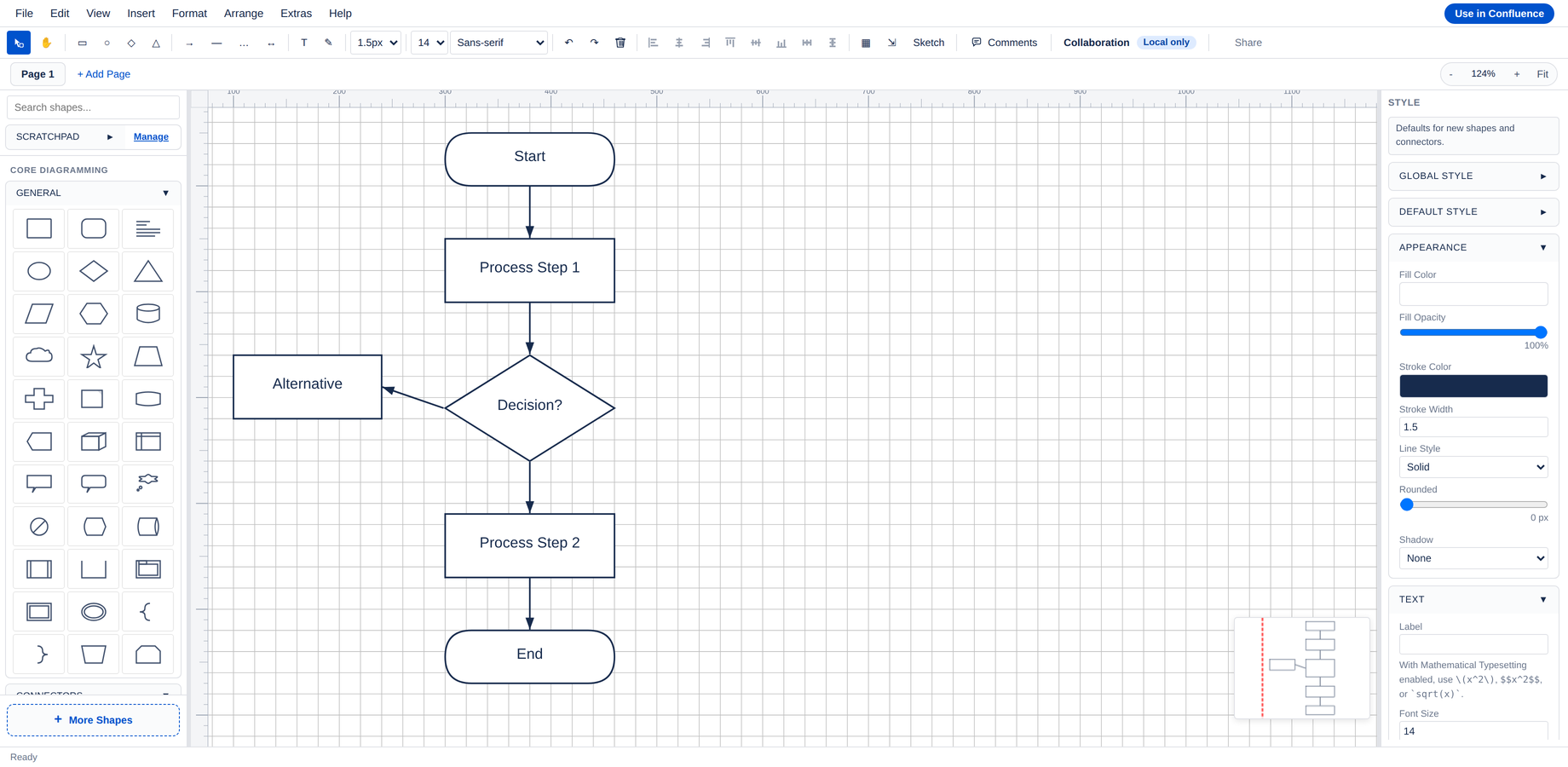
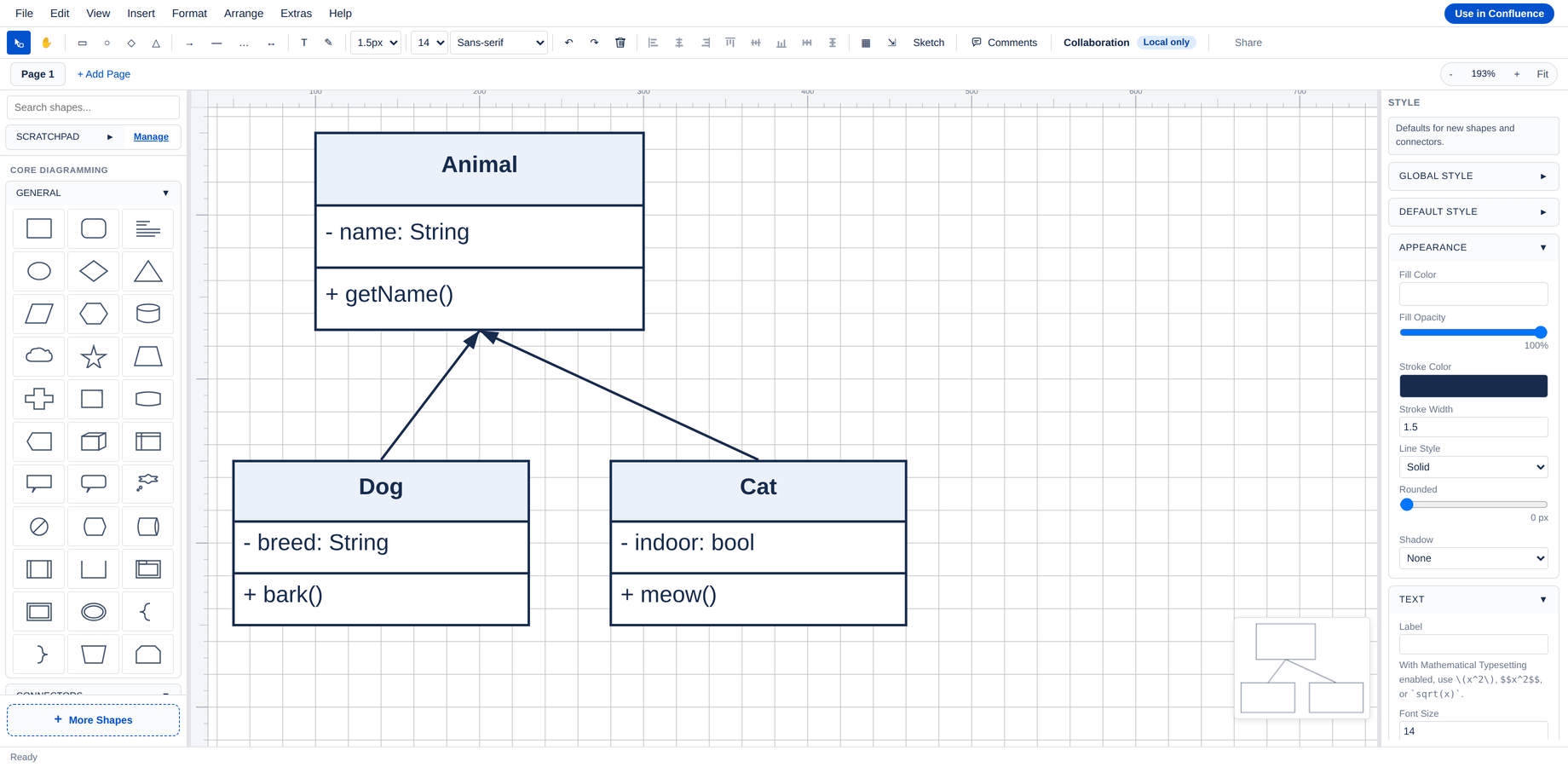
Flowcharts, UML, BPMN, ERD, mind maps, network diagrams, sitemaps, SysML, and wireframes — all built in, all in the same editor. No add-on packs to buy, no per-notation apps to manage.
- UML — class, sequence, state, activity, use case, component
- BPMN — events, gateways, tasks, swimlanes, data objects
- ER diagrams — Chen and crow’s-foot notations
- Wireframes — desktop and mobile UI primitives for low-fi mocks
Cloud architecture
AWS, Azure & GCP diagrams — without licensing risk
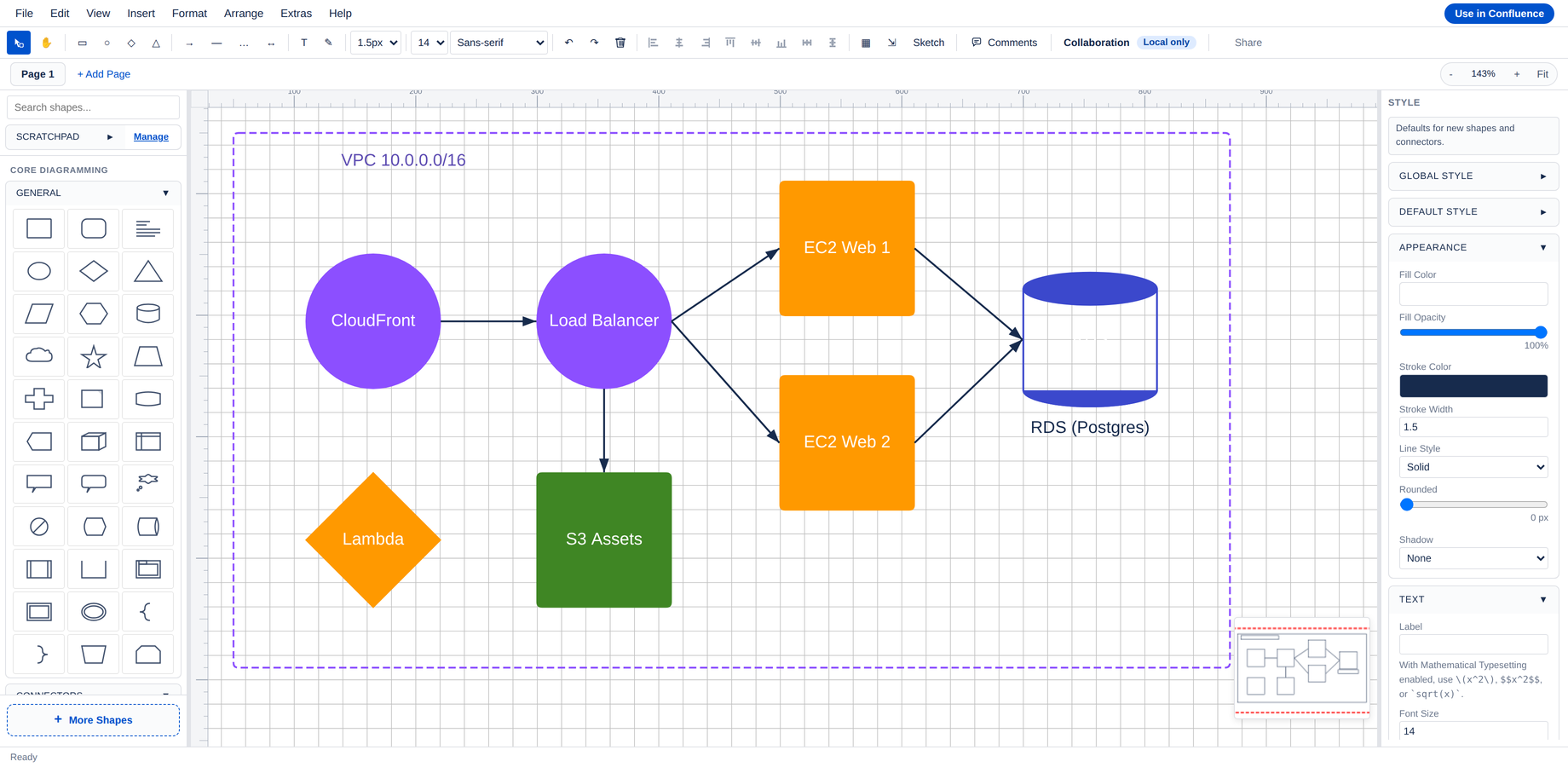
700+ Azure architecture icons ship with the app, ready to drag — Microsoft’s Icon Terms allow it. AWS, GCP, and IBM forbid bundling, so their official packs load through a one-click import: drop the vendor ZIP into the dialog and it’s cached on your Confluence site. Same experience, no licensing gray zone.
- Azure — 700+ icons bundled, zero setup
- AWS, GCP, IBM Cloud — official packs via More shapes → Custom imports
- Network gear — routers, switches, firewalls built in
From database models to process maps
Every diagram lives next to the page it explains — and stays editable for whoever can edit the page.
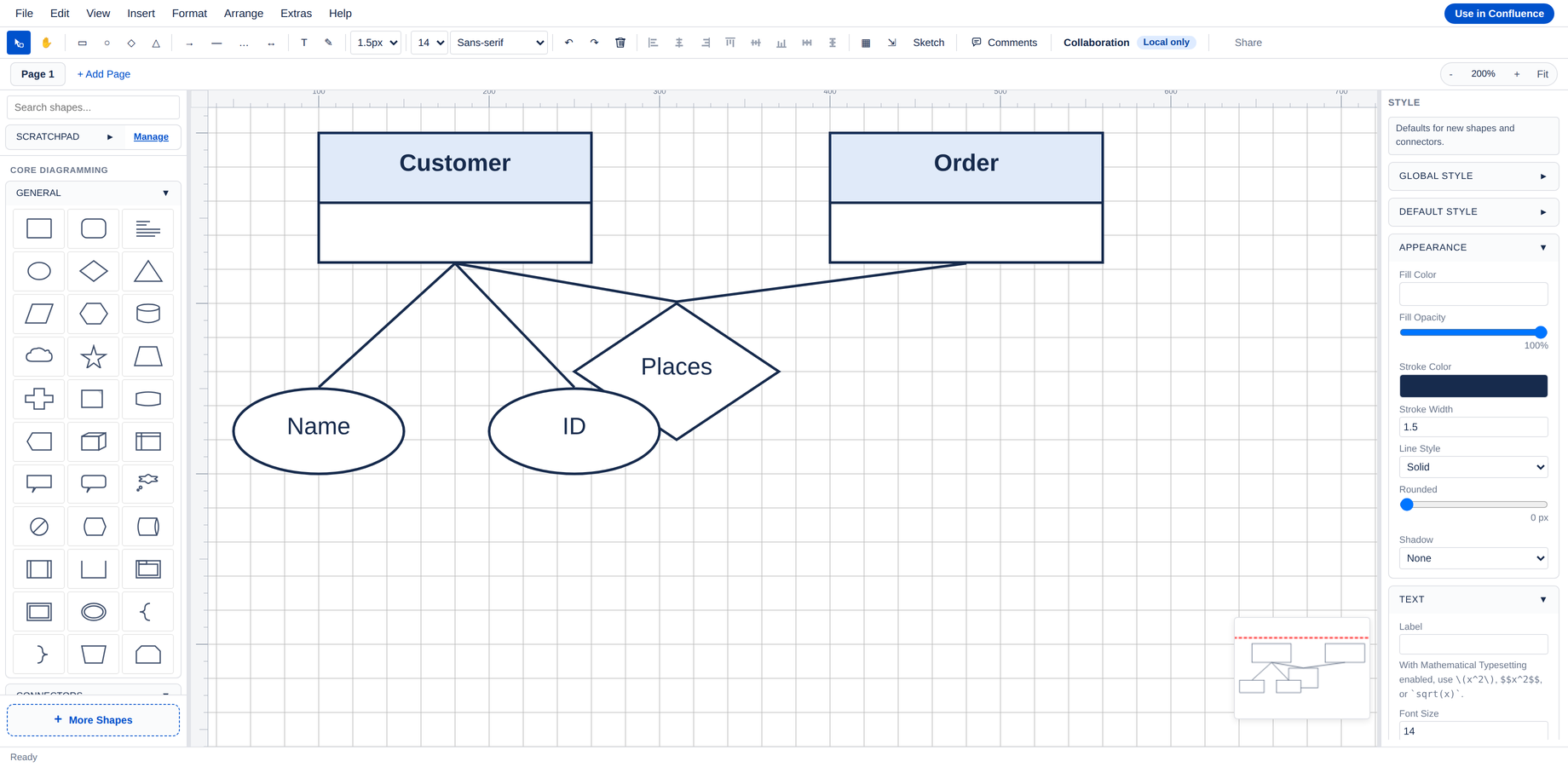
ER diagrams
Entities, attributes, and relationships — clear data models beside your schema docs.
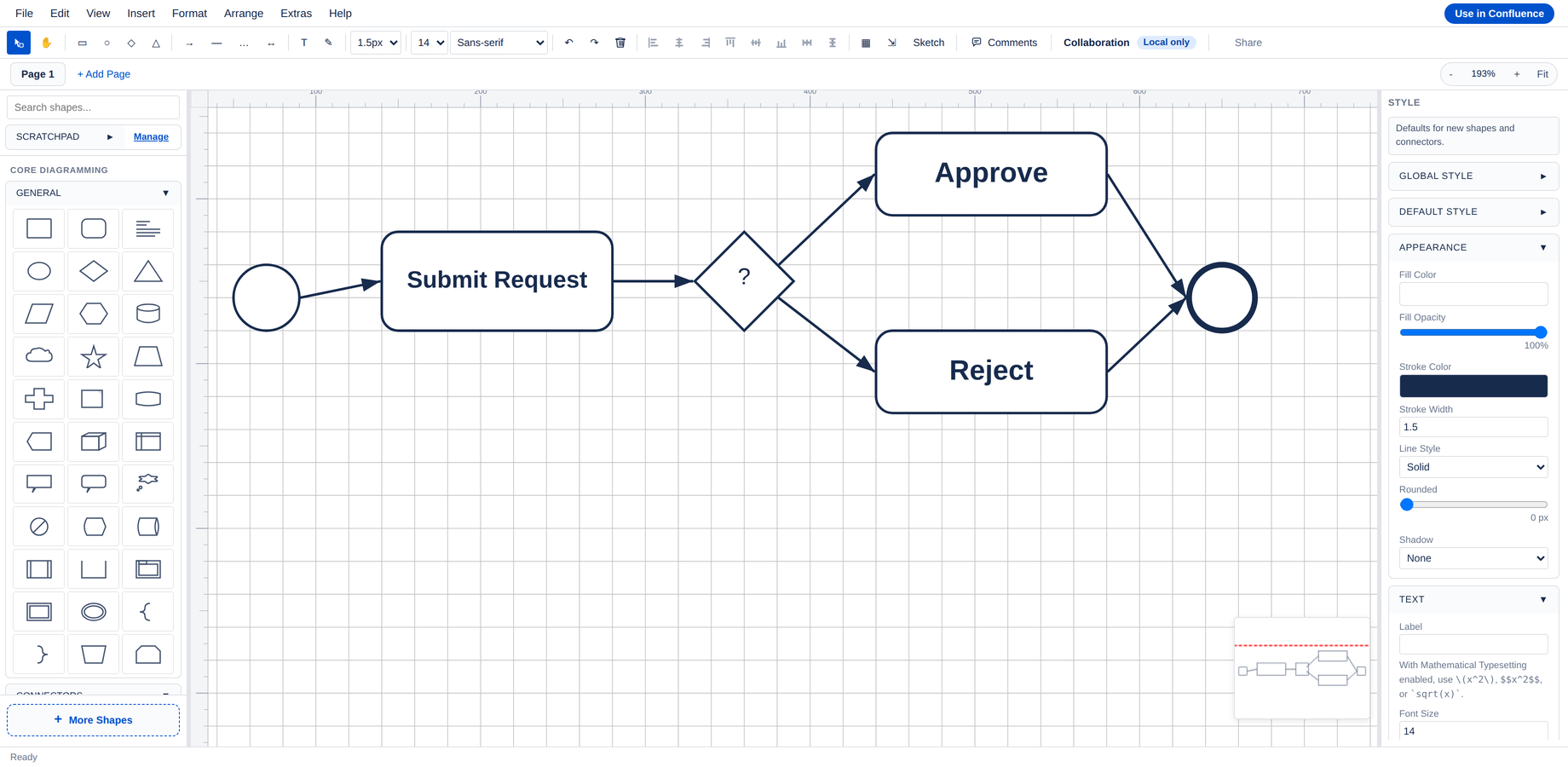
BPMN process maps
Approval workflows and operations processes, documented right where teams collaborate.
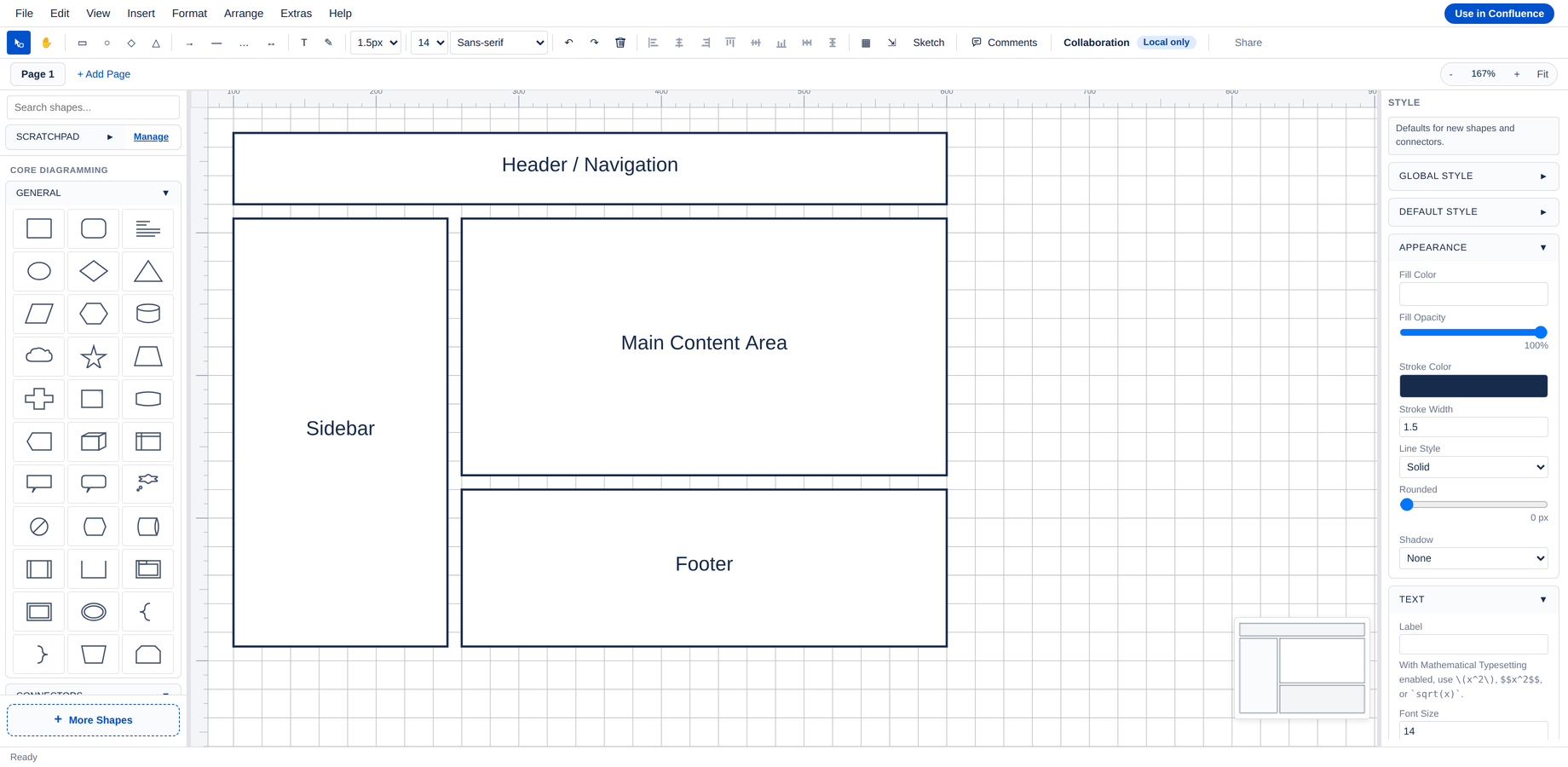
Wireframes
Product interfaces planned as low-fi mocks that stay editable next to the spec.
Built for these teams
Software architects
Architecture diagrams and UML next to ADRs and design docs — updated in the same edit session.
Product teams
Wireframes and user flows beside the spec they illustrate — no design-tool license needed for a mock.
Data & database teams
ER models that live with the schema documentation and survive every migration review.
Ops & platform teams
Network topology, cloud architecture, and runbook diagrams that stay current through incident reviews.
Simple, transparent pricing
Free up to 10 users. Per-user pricing that drops as your team grows.
Standard Atlassian Marketplace per-user pricing, billed through Atlassian. All pricing in USD. Full tier table on the Marketplace listing.
Frequently asked questions
Everything you need to know before installing.
Do viewers need a license or a separate app?
No. Diagram.now is editor and viewer in one app — there is no read-only companion to install. Whoever can read the Confluence page sees the diagram; whoever can edit the page can edit the diagram.
Where is my diagram data stored?
Inside your Confluence site. Diagram.now is built on Atlassian Forge — diagrams are saved as attachments on the pages they belong to, follow Confluence permissions, and never leave Atlassian Cloud.
How do I insert a diagram?
Type /diagramsnow on any Confluence page or pick it from the macro browser. Click the pencil to open the editor, draw, hit Save & Close — the diagram renders inline.
Do diagrams survive PDF and Word export?
Yes. Confluence’s native export preserves diagrams as inline SVG, so they stay crisp at any zoom level — no rasterized blur.
Can I use AWS, GCP, or IBM Cloud icons?
Yes — through the one-click import in More shapes → Custom imports. Drop the official vendor ZIP into the dialog and the pack is cached locally on your site. Azure’s 700+ icons ship bundled, no import needed.
Is there a free tier?
Yes — Diagram.now is free for sites up to 10 users (Atlassian standard). All features are included; we never gate functionality on the free tier.
Where can I find documentation?
Quick start, shape library reference, keyboard shortcuts, and privacy details are at docs.votazz.co/diagramsnow. No login required.
Put your diagrams where your docs live.
Free for the first 10 users. Your first diagram is one slash command away.
Want details first? Read the docs →