Home Directory, Database & Log File Browser for Jira
Troubleshoot Jira faster. Browse files, query databases, and view logs — right from your admin panel. No SSH, no terminal, no waiting.
How It Works
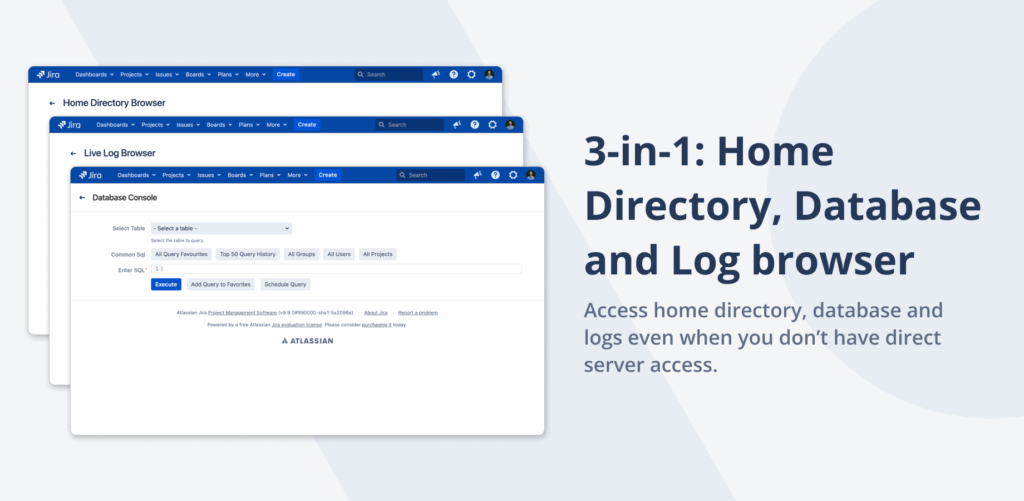
3 Tools in 1 Plugin — Inside Jira Admin
Install once and unlock three integrated troubleshooting tools right inside your Jira admin panel. Browse the home directory, query the database, and tail logs — all without ever leaving the UI.
- Native Jira admin integration
- No SSH or SFTP credentials required
- Permission-controlled access for your team
- Audit-friendly — every action logged
Home Directory Browser
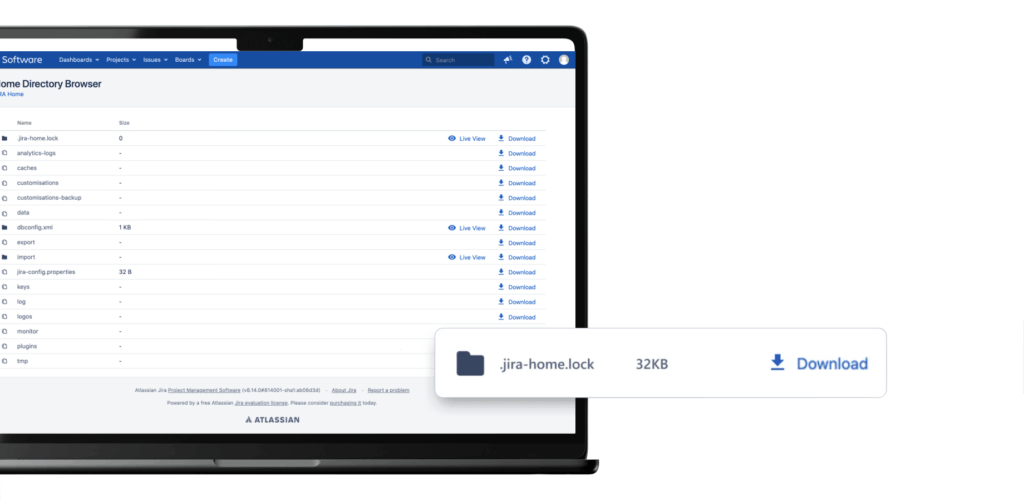
Browse, Download, ZIP — All From the UI
Streamline file management with point-and-click navigation across the Jira home directory. Locate config files, attachments, and exports without server credentials — and bundle them into ZIPs for Atlassian Support tickets in seconds.
- Navigate the home directory without server credentials
- Retrieve files directly from any system folder
- Bundle and compress multiple files into ZIP
- Streamline file management for support cases
Database Browser
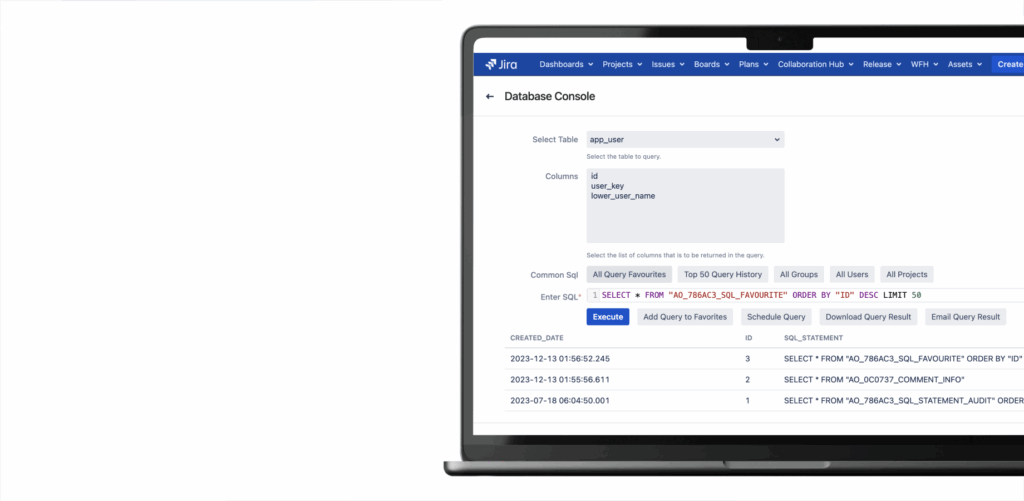
Run SQL Queries Without a DB Client
Instantly locate and provide the data Atlassian Support needs to resolve your ticket. Run SQL queries against your Jira database directly from the admin UI — no DB client, no shared credentials, no firewall workarounds.
- Execute SQL queries from the Jira UI
- Pre-built templates for common Atlassian Support requests
- Read-only mode keeps your data safe
- Export results to CSV in one click
Log File Browser
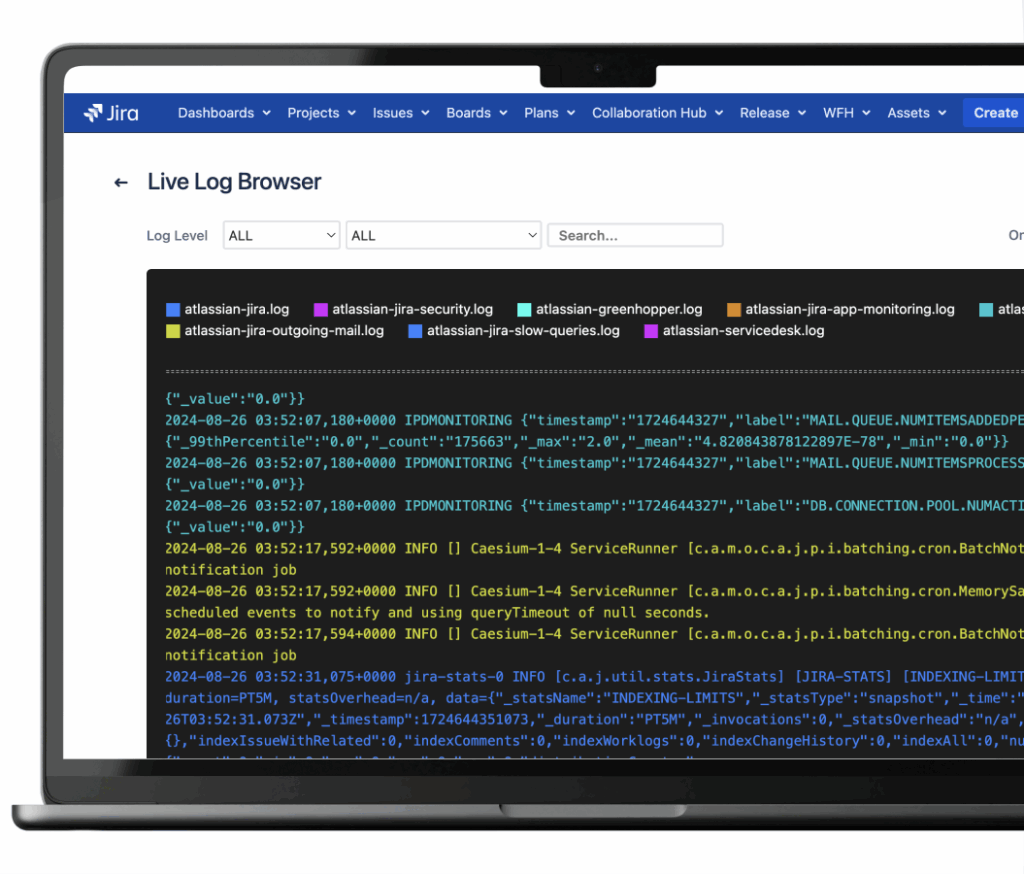
Tail and Filter Jira Logs in Real Time
Browse, read, and filter Jira logs directly inside the admin console. Resolve incidents faster with immediate log visibility — no more SSH-ing into the server every time something breaks.
- Real-time log tailing from the UI
- Filter by severity, keyword, and timestamp
- Remove the dependency on server-level access
- Audit-friendly with role-based permissions
Why Admins Switch from SSH
Traditional SSH Workflow
- Only senior admins have SSH/SFTP credentials
- New team members need months to learn terminal commands
- More SSH access means more security risks
- Constant context switching between Jira UI and terminal
- Atlassian Support tickets take days to gather data
- Junior admins blocked on every troubleshooting task
With File & DB Browser
- Point-and-click file browsing inside Jira
- Pre-built SQL templates for common queries
- Real-time log tailing with filters
- Role-based permissions instead of SSH credentials
- Integrated workflow — no terminal switching
- Audit-friendly: every action logged for compliance
Ready to ditch the terminal?
Try free for 30 days. No credit card required.
Start Free Trial on MarketplaceWhat Jira Administrators Say
“Cut our troubleshooting time in half. Junior admins can now gather data for Atlassian Support tickets without waiting on me for SSH access.”
“The log browser alone is worth it. Real-time filtering inside Jira admin saves us from SSH-ing into prod every time something hiccups.”
“Three tools in one plugin. Reduced our SSH user count by 60% and made our security team very happy.”
Simple, Transparent Pricing
Jira Data Center · Annual subscription · 30-day free trial · No credit card required
| Users | Price/year |
|---|---|
| Up to 50 | $3,000 |
| Up to 100 | $3,500 |
| Up to 250 | $4,000 |
| Up to 500 | $5,000 |
| Up to 750 | $6,000 |
| 750+ | Contact us |
Frequently Asked Questions
Does this work with Jira Cloud?
No. This app is exclusively for Jira Data Center deployments because it requires access to the server filesystem, database, and log files. Jira Cloud users do not have access to these resources by design.
Do I need SSH access to install the app?
No. Install it like any other Marketplace app from the Jira admin panel. Once installed, you can browse files, query the database, and view logs directly from the admin UI — SSH credentials are no longer required for routine troubleshooting.
Is the database browser read-only?
By default the database browser operates in read-only mode to keep your Jira instance safe. Administrators can configure permissions per role to allow specific users additional capabilities if needed.
Which databases are supported?
The Database Browser supports all databases officially supported by Jira Data Center, including PostgreSQL, MySQL, Microsoft SQL Server, and Oracle. The app uses Jira’s existing database connection — no extra setup required.
Can I limit who has access to the file and log browsers?
Yes. Access is controlled through Jira’s permission system. You can grant the Home Directory, Database, and Log browsers to specific admin groups, and every action is audited for compliance.
How does it help with Atlassian Support tickets?
Atlassian Support frequently asks for log snippets, configuration files, and SQL query results. With this app, you can locate, run, and export everything they need in minutes — without filing internal tickets to get SSH access first.
Is there a free trial?
Yes, 30 days on the Atlassian Marketplace. No credit card required. Full access to all three tools — Home Directory, Database, and Log browsers.
Need help getting started?
Complete user guide, installation steps, use cases, FAQ and reference for Home Directory Database & Log File Browser.
Read the Documentation →Stop Fighting With Terminals
Join 748+ Jira admins who’ve eliminated SSH dependencies. Start your free 30-day trial.
Start Free Trial on Marketplace