GitLab Connector for Jira Link Commits to Issues
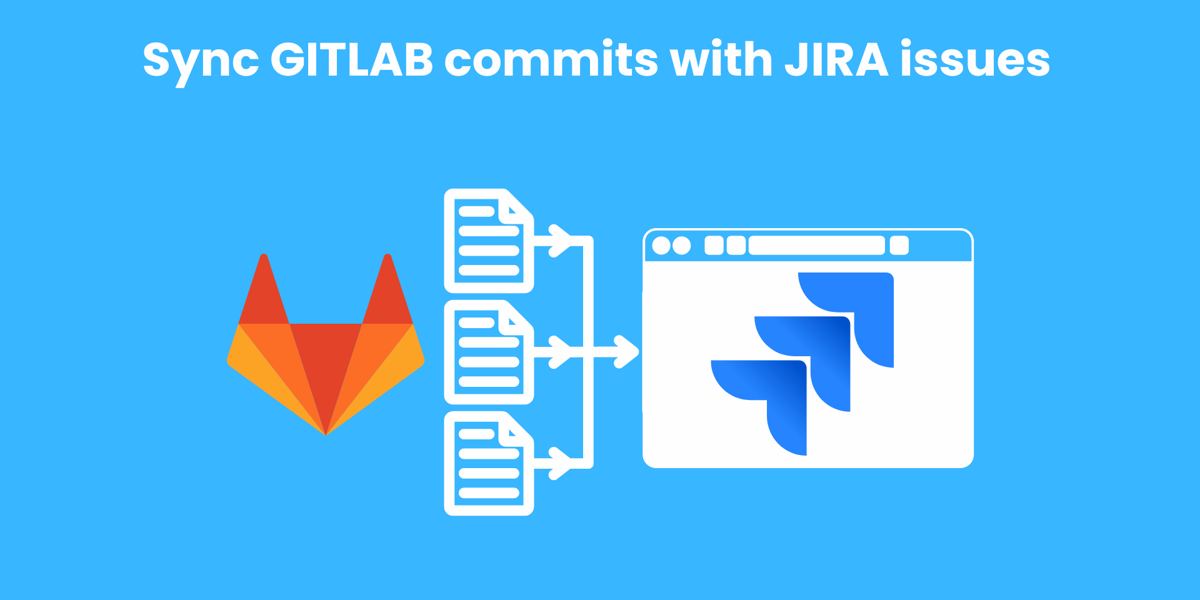
Automatically push GitLab commits into Jira issues. Extract issue keys, trigger workflow transitions, and generate worklogs — all from your commits.
How It Works
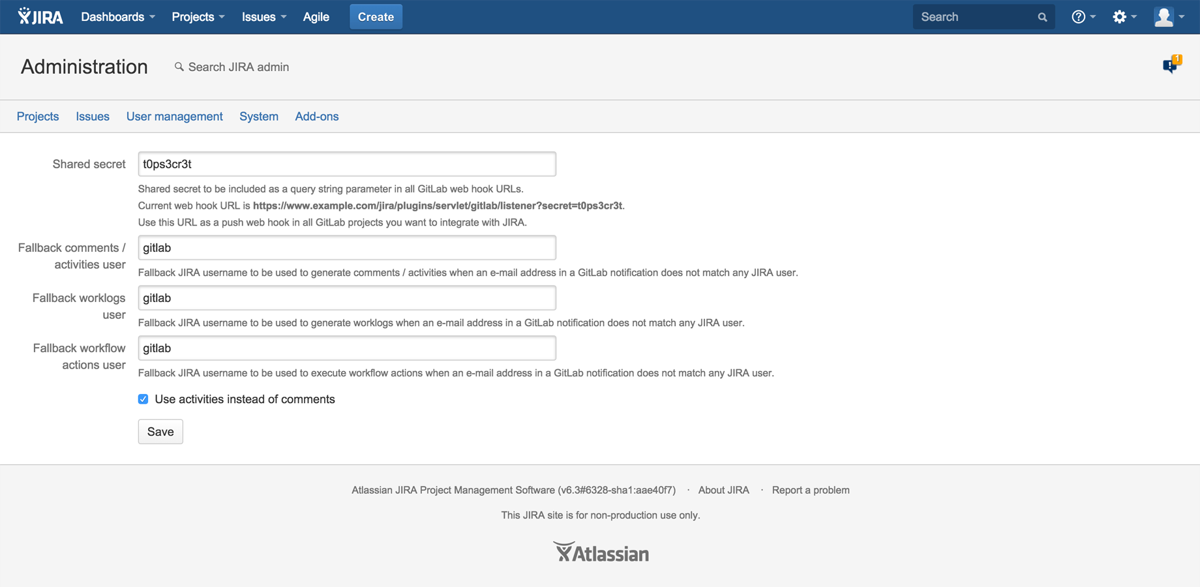
Connect GitLab to Jira in Minutes
Point the plugin at your GitLab instance. It automatically extracts Jira issue keys from commit messages and links them to the right issues — with full commit details visible in Jira.
- Configure GitLab webhook URL
- Issue keys extracted automatically from commits
- Commit details appear in Jira issues
- Workflow transitions triggered by keywords
Workflow Automation
Transition Issues from Commits
Use keywords in your commit messages to automatically transition Jira issues. Push a commit with “fixes PROJ-123” and the issue moves to Done — no manual updates needed.
- Keyword-triggered workflow transitions
- Automatic worklog generation from commits
- Multiple issue references per commit
- AI-powered commit summaries
AI-Powered Insights
Smart Commit Summaries
AI generates human-readable summaries of commit changes, making it easy for project managers and non-technical team members to understand what changed and why.
- AI-generated commit summaries in Jira
- Visibility restrictions per project
- Worklog entries from commit messages
- Full commit diff links back to GitLab

Why Teams Switch to GitLab Connector
Without This App
- Manually copying commit links into Jira issues
- No visibility into code changes from Jira
- Forgetting to update issue status after commits
- Time tracking done separately from development
- Project managers blind to actual development progress
- No native GitLab integration in Jira Server/DC
With GitLab Connector
- Commits automatically linked to Jira issues
- Full commit details visible in issue view
- Workflow transitions from commit messages
- Automatic worklog generation
- AI summaries for non-technical stakeholders
- Multiple issue references per commit
Everything You Need
Commit Linking
GitLab commits automatically appear in Jira issues. Issue keys extracted from commit messages and branch names.
Workflow Transitions
Keywords in commits trigger Jira workflow transitions. “fixes PROJ-123” moves the issue to Done automatically.
Worklog Generation
Automatically create time tracking entries from commit messages. Include time spent right in your commit.
AI Commit Summaries
AI generates human-readable summaries of code changes for project managers and stakeholders.
Multiple Issue References
Reference multiple Jira issues in a single commit. All referenced issues get updated simultaneously.
Visibility Controls
Restrict commit visibility per project. Control who can see development activity in Jira issues.
Ready to bridge GitLab and Jira?
Try free for 30 days. No credit card required.
Start Free Trial on MarketplaceSimple, Transparent Pricing
Jira Server & Data Center · Annual subscription · 30-day free trial · No credit card required
| Users | Price/year |
|---|---|
| Up to 50 | $2,500 |
| Up to 100 | $3,200 |
| Up to 250 | $4,500 |
| Up to 500 | $5,000 |
| Up to 750 | $5,000 |
| 750+ | Contact us |
Frequently Asked Questions
How are issue keys extracted from commits?
The plugin scans commit messages and branch names for Jira issue key patterns (e.g., PROJ-123). It supports multiple keys per commit and handles common formats like “fixes PROJ-123” or “PROJ-123 PROJ-456”.
How do workflow transitions work?
Use keywords like “fixes”, “resolves”, or “closes” followed by an issue key in your commit message. The plugin will automatically trigger the corresponding workflow transition in Jira, moving the issue to the target status.
How does time tracking work?
Include time spent in your commit message (e.g., “#time 2h 30m”) and the plugin automatically creates a worklog entry on the referenced Jira issue. Works with Jira’s built-in time tracking.
What are AI commit summaries?
The plugin uses AI to generate plain-language summaries of code changes. Instead of reading raw diffs, project managers see descriptions like “Updated the login validation to require email format” directly in the Jira issue.
Which GitLab versions are supported?
Works with GitLab.com (SaaS) and self-hosted GitLab instances. Any version that supports webhooks is compatible. On the Jira side, supports Jira Server and Data Center.
Is there a free trial?
Yes, 30 days on the Atlassian Marketplace. No credit card required. Full access to all features.
Bridge GitLab and Jira Today
Join 179+ teams using GitLab Connector for Jira. Start your free 30-day trial.
Start Free Trial on Marketplace